Wireless presentation systems that solve lag in larger rooms
In larger meeting rooms and training spaces, delay, dropped frames, and unstable connections can quickly undermine collaboration. Wireless presentation systems are increasingly expected to deliver low-latency sharing, consistent performance, and easy device compatibility at scale. For technical evaluators, choosing the right solution means balancing transmission stability, room coverage, security, and integration with existing AV and IT infrastructure.
What wireless presentation systems are designed to solve
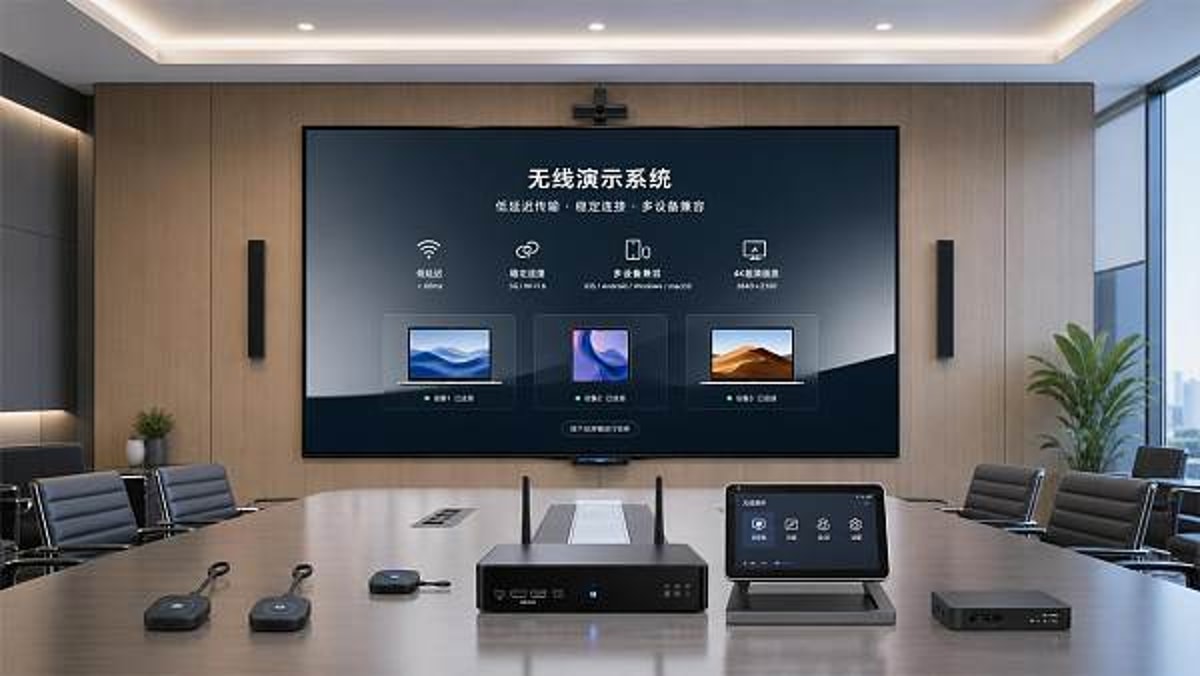
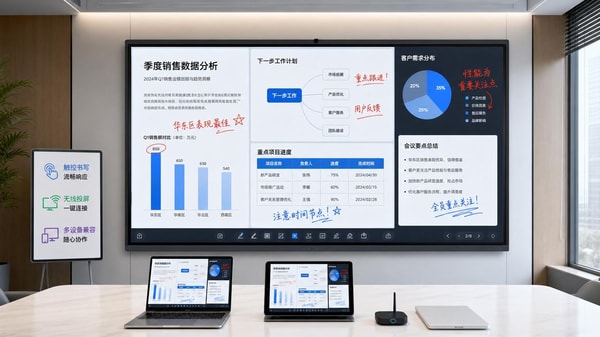
Wireless presentation systems enable users to share content from laptops, tablets, and mobile devices to a room display without relying on a physical HDMI cable at the table. In smaller spaces, many solutions appear to work well enough. The challenge becomes more visible in larger rooms, divisible conference areas, lecture halls, and executive briefing centers, where wireless performance must hold up under distance, interference, multiple participants, and more demanding visual content.
For technical assessment teams, the discussion is not only about convenience. The real question is whether wireless presentation systems can maintain presentation quality when room scale, user density, and IT policies become more complex. A system that works in a six-seat huddle room may struggle in a 20-meter boardroom if it cannot manage latency, roaming behavior, receiver placement, or traffic congestion on the corporate network.
This is why the category matters across commercial environments. Organizations are no longer evaluating presentation tools as isolated accessories. They are assessing them as part of a broader workplace and learning experience that involves AV-over-IP, conferencing platforms, cybersecurity standards, and user adoption at enterprise scale.
Why larger rooms expose lag and instability more quickly
Lag is often the first symptom users notice, but it is usually the result of several combined factors. In larger spaces, presenters may be farther from receivers, which can reduce signal quality or increase dependency on the local Wi-Fi environment. More people in the room also means more active devices, more radio noise, and more competition for bandwidth. If the system mirrors high-resolution video, fast cursor motion, or animation-heavy content, the demand rises again.
Dropped frames and audio-video mismatch are especially disruptive in training rooms, product demos, and hybrid collaboration settings. A slight delay in slide advancement can be tolerated during static presentations, but not when the session includes live software walkthroughs, spreadsheet manipulation, video playback, touchback, or interactive annotation. In executive or client-facing environments, these issues also affect perceived professionalism.
Another reason larger rooms are less forgiving is that infrastructure paths are more layered. Signals may pass through wireless endpoints, local networks, display processors, switching hardware, DSP systems, and unified communications platforms. Each layer introduces the possibility of delay, negotiation issues, or compatibility friction. Technical evaluators therefore need to assess the whole signal chain rather than the wireless sharing box alone.
Industry context: from convenience tool to critical room technology
Across hospitality, education, corporate offices, and commercial experience centers, presentation environments are becoming more dynamic. A hotel ballroom may host business workshops in the morning and investor sessions in the afternoon. A smart campus may move between lecture delivery, collaborative learning, and remote guest presentations. A brand showroom may require flawless visual transitions for high-value clients. In all of these cases, wireless presentation systems must support reliability, not just cable-free operation.
This shift is particularly relevant for organizations that source technology globally and deploy it across multiple sites. Standardization, supportability, and compliance become as important as feature lists. GCT’s commercial readership often looks at room technology through a sourcing and lifecycle lens: not only whether a solution performs, but whether it can be integrated, maintained, scaled, and trusted in premium commercial settings.
Industry overview table
What technical evaluators should measure first
When evaluating wireless presentation systems for larger rooms, technical teams should begin with measurable performance criteria instead of marketing language. Latency is central, but it should be tested under realistic conditions: multiple connected devices, active enterprise Wi-Fi, different seating positions, and mixed content types. A solution that claims fast transmission under ideal lab conditions may behave differently during a live workshop with twenty participants.
Coverage and receiver design also deserve close attention. Some systems depend heavily on direct path quality between device and receiver, while others are optimized to work through managed networks. The room’s shape, furniture density, wall materials, and display location can all influence results. Larger rooms often require not just a stronger signal path, but a more predictable one.
Security is another non-negotiable area. Wireless presentation systems connect user devices, room peripherals, and potentially guest users to shared displays. Evaluators should confirm encryption standards, authentication methods, network segmentation options, admin control, firmware update practices, and logging visibility. In commercial environments, ease of sharing must not create unmanaged risk.
Key capabilities that reduce lag in larger spaces
The best wireless presentation systems for large rooms usually combine several strengths rather than relying on a single feature. Dedicated presentation transmitters can reduce dependence on guest device settings and simplify user onboarding. Efficient video encoding can lower bandwidth demand while preserving readability. Dual-network approaches may separate control traffic from media transport. Some platforms also provide local rendering or hardware acceleration to keep motion smoother.
Equally important is how the system handles device diversity. Modern rooms need support for Windows, macOS, iOS, Android, and browser-based access. In practice, compatibility is not just about whether the screen appears. It includes resolution negotiation, extended desktop behavior, audio handling, USB peripheral support, and reliable reconnection after a network change or sleep cycle.
- Low and consistent end-to-end latency for both static and motion content
- Stable performance with multiple simultaneous participants
- Strong interoperability with room displays, switchers, and conferencing platforms
- Enterprise-grade security controls and centralized management
- Simple user workflow that does not increase support tickets
Typical application categories in commercial environments
Not every room requires the same design choice. Technical evaluators can usually group wireless presentation systems by room behavior and user expectations rather than by product category alone. This approach helps align performance requirements with practical deployment models.
Application classification table
Practical evaluation guidance before deployment
A sound pilot process is often the difference between a successful rollout and a room technology refresh that creates hidden support burdens. Technical teams should test wireless presentation systems in the largest and most demanding room first, not the easiest one. Include long sessions, multiple presenters, real corporate devices, and actual conferencing workflows. Observe not only whether the content appears, but whether users trust the system enough to stop asking for fallback cables.
It is also wise to involve both AV and IT stakeholders early. AV teams will focus on display behavior, switching, audio sync, and control integration. IT teams will focus on network impact, authentication, monitoring, patching, and policy compliance. Larger rooms tend to reveal the gaps between these disciplines, so shared validation criteria can prevent late-stage conflicts.
For global buyers and sourcing teams, vendor capability should be part of the technical review. Consider support across regions, documented interoperability, firmware roadmap discipline, OEM or customization capacity where relevant, and the ability to meet international compliance standards. In premium commercial projects, procurement quality and deployment quality are closely linked.
Common mistakes that weaken room performance
A frequent mistake is assuming that stronger Wi-Fi alone will solve presentation lag. In reality, wireless presentation systems succeed when room design, endpoint behavior, network policy, and display infrastructure are aligned. Another common issue is evaluating with only static slides, which hides performance problems that emerge with video, browser animation, or software demos.
Organizations also underestimate the user workflow. If the connection process is confusing, presenters may repeatedly reconnect, switch transport modes, or choose unsupported mirroring methods. This can create the appearance of unstable technology when the deeper problem is inconsistent onboarding design. In larger commercial settings, simplicity is part of performance.
Conclusion: building dependable large-room collaboration
Wireless presentation systems have moved beyond basic convenience and now play a meaningful role in how commercial spaces communicate, teach, sell, and collaborate. In larger rooms, the standard should be more than cable-free sharing. It should be predictable low-latency performance, broad device compatibility, secure operation, and clean integration with the wider AV and IT ecosystem.
For technical evaluators, the best path is a structured one: define the room use case, test under realistic load, verify security and interoperability, and assess supplier readiness for long-term support. Organizations that follow this approach are far more likely to select wireless presentation systems that solve lag in larger rooms rather than simply relocating it to another part of the workflow.
If your team is reviewing large-room collaboration infrastructure across hospitality, education, office, or premium commercial environments, a disciplined evaluation framework will produce better sourcing decisions and a stronger end-user experience. That is where informed market intelligence and solution benchmarking become valuable strategic tools.
Search News
Hot Articles
Popular Tags
Need ExpertConsultation?
Connect with our specialized leisureengineering team for procurementstrategies.
Recommended News
 May 06, 2026Tablet charging carts with locking doors still need these checksTablet charging carts with locking doors still need key checks. Learn how to evaluate ventilation, power safety, mobility, and compatibility before you buy.● Institutional Buyer
 May 06, 2026Document cameras for teachers: image quality or software first?Document cameras for teachers: should you prioritize image quality or software? Explore a practical checklist to compare clarity, workflow, compatibility, and long-term value.● Institutional Buyer
 May 06, 2026Smart podiums for classrooms that fit hybrid teaching betterSmart podiums for classrooms designed for hybrid teaching: compare integration, durability, ergonomics, and serviceability to choose scalable solutions that cut support issues and improve teaching efficiency.● Institutional Buyer
 May 06, 2026Chromebook charging stations and the airflow issue many missChromebook charging stations often look efficient, but airflow is the hidden factor that impacts battery life, safety, and charging performance. Learn what smart buyers should inspect before choosing.● Institutional Buyer
 May 06, 2026Language lab equipment features that improve speaking practiceLanguage lab equipment features can dramatically improve speaking practice. Discover which tools best fit schools, universities, exam centers, and training programs.● Institutional Buyer
 May 06, 2026Wireless presentation systems that solve lag in larger roomsWireless presentation systems for larger rooms: discover how to reduce lag, improve stability, strengthen security, and ensure smooth sharing across enterprise AV and IT environments.● Institutional Buyer
 May 06, 2026Tablet charging carts and the hidden issue of cable wearTablet charging carts face a hidden reliability risk: cable wear. Learn how smarter evaluation can reduce downtime, lower maintenance costs, and improve long-term device performance.● Institutional Buyer
 May 06, 2026Scientific calculators wholesale: when cheaper models cost moreScientific calculators wholesale is not just about the lowest quote. Learn how defects, compliance, batch consistency, and supplier reliability affect true cost—and how smarter sourcing protects margin.● Institutional Buyer
 May 06, 2026IOC Selects Chinese University’s Athlete Support Model as Global Procurement BenchmarkIOC adopts Chinese university's AI psychological coaching + wearable load monitoring model as global procurement benchmark — a strategic opportunity for edtech, sports health tech, and data security providers.● Institutional Buyer
 May 05, 2026Liaoning Tieren Appoints Korean Coach Xu Zhengyuan, Signals Shift in K-League Equipment ProcurementLiaoning Tieren appoints Korean coach Xu Zhengyuan — sparking interest in K-League equipment procurement and KFA 2026-certified smart training tech.● Institutional Buyer
 May 05, 2026Physics lab apparatus: where low-cost kits usually fall shortPhysics lab apparatus buying on price alone often leads to poor accuracy, weak durability, and higher lifecycle costs. Learn what low-cost kits miss and how to source safer, better-value solutions.● Institutional Buyer
 May 05, 2026School laboratory equipment: what should be replaced firstSchool laboratory equipment replacement starts with safety-critical assets. Learn what to replace first to improve compliance, reduce downtime, and maximize tight budgets.● Institutional Buyer
 May 05, 2026Thermal receipt printers: hidden upkeep costs before large rolloutThermal receipt printers may look affordable, but hidden upkeep costs can erode rollout budgets. Learn how to reduce downtime, control maintenance, and choose smarter for scale.● Institutional Buyer
 May 05, 2026Human anatomy models that improve hands-on teaching, not storageHuman anatomy models built for hands-on teaching, not storage. Discover durable, classroom-ready options that improve engagement, simplify setup, and support smarter education sourcing.● Institutional Buyer
 May 05, 2026Ceiling mount projector brackets: where installation mistakes happenCeiling mount projector brackets: discover where installation mistakes happen, how to avoid safety and alignment issues, and the checklist that helps teams deliver smoother AV projects.● Institutional Buyer
 May 05, 2026Barcode scanners for library: common issues with older systemsBarcode scanners for library upgrades can solve slow checkouts, read errors, and compatibility issues in older systems. Learn what fails first and how to choose a reliable replacement.● Institutional Buyer
 May 05, 2026What to check before ordering wholesale projector screensWholesale projector screens buyers should check material, gain, aspect ratio, installation, and supplier consistency before ordering. Reduce sourcing risk and choose reliable commercial solutions.● Institutional Buyer
 May 05, 2026Geography globes wholesale: what makes one model classroom-readyGeography globes wholesale buyers: discover what makes a model truly classroom-ready, from durability and readability to safety, compliance, and reliable bulk supply.● Institutional Buyer
 May 05, 2026Microscope slides wholesale: where quality gaps usually show upMicroscope slides wholesale buyers should watch for hidden quality gaps in flatness, edge finishing, cleanliness, and batch consistency—learn how to reduce waste and choose reliable suppliers.● Institutional Buyer
 May 05, 2026POS touch screens: what affects response speed and lifespanPOS touch screens directly impact checkout speed, uptime, and total cost. Learn what affects response speed and lifespan to choose the right solution for every business scenario.● Institutional Buyer
 May 04, 2026Kindergarten Furniture Bulk Orders and the Safety Details MissedKindergarten furniture bulk buyers: discover the hidden safety checks suppliers often miss, from emissions and stability to ergonomics and compliance, before placing large orders.● Institutional Buyer
 May 04, 2026School Desks and Chairs Wholesale: Matching Age to Size CorrectlySchool desks and chairs wholesale guide: learn how to match age to size correctly for better comfort, safety, compliance, and smarter school furniture purchasing.● Institutional Buyer
 May 04, 2026Library Bookshelves Wholesale: How Much Load Is Really Enough?Library bookshelves wholesale guide: learn how much load is truly enough for safety, durability, and compliance. Compare ratings, avoid costly mistakes, and choose the right shelving with confidence.● Institutional Buyer
 May 04, 2026Smart Interactive Whiteboards: Which Features Get Used Daily?Smart interactive whiteboards: discover which features teams and teachers actually use daily, from touch accuracy and wireless casting to easy collaboration, ROI, and smarter buying decisions.● Institutional Buyer