Document cameras for teachers: image quality or software first?
When comparing document cameras for teachers, technical evaluators often face a key trade-off: image quality or software capability. In real classroom environments, sharp visuals, low-latency performance, annotation tools, and platform compatibility all influence teaching efficiency and purchasing value. This guide examines how to balance optical performance with software functionality to support smarter, future-ready procurement decisions.
Why a checklist approach works better for evaluating document cameras for teachers
For technical evaluators, the wrong purchase usually happens when teams overfocus on a single headline feature. Some buyers choose document cameras for teachers based on 4K claims alone, then discover weak classroom software, driver instability, or poor integration with interactive displays. Others prioritize software bundles, only to find that image noise, poor autofocus, or weak low-light performance undermine actual teaching use.
A checklist-based review solves this problem because it forces procurement teams to compare hardware, software, classroom workflow, support, and lifecycle cost in the same frame. This is especially important in schools, training centers, and institutional learning spaces where devices must perform consistently across multiple teachers, lesson formats, and IT environments. In short, the right question is not image quality or software first in isolation. The better question is which factor should be prioritized for the intended teaching scenario, deployment scale, and support model.
Start here: the first five things to confirm before shortlisting
- Confirm the main classroom use case: live demonstration, hybrid teaching, lesson recording, STEM close-up work, art display, or special education support.
- Check whether the device will be used with a classroom display only, or also with laptops, video conferencing platforms, and learning management systems.
- Identify who manages setup: individual teachers, campus IT staff, or a centralized AV team. Ease of deployment matters more when support resources are limited.
- Define minimum image requirements, including text readability, color accuracy, autofocus speed, and performance under mixed classroom lighting.
- Review software expectations, such as annotation, screen capture, split-screen display, cloud saving, firmware updates, and OS compatibility.
These five checks help technical evaluators avoid the most common sourcing mistake: comparing document cameras for teachers as if every classroom needs the same balance of optics and software.
Core decision framework: when image quality should come first
Image quality deserves first priority when teaching depends on fine detail, accurate representation, or fast visual transitions. In these cases, software can improve workflow, but it cannot fully compensate for weak optical performance.
Prioritize optics first if your classrooms rely on:
- Small text display, such as textbook annotations, worksheet review, language instruction, or exam preparation.
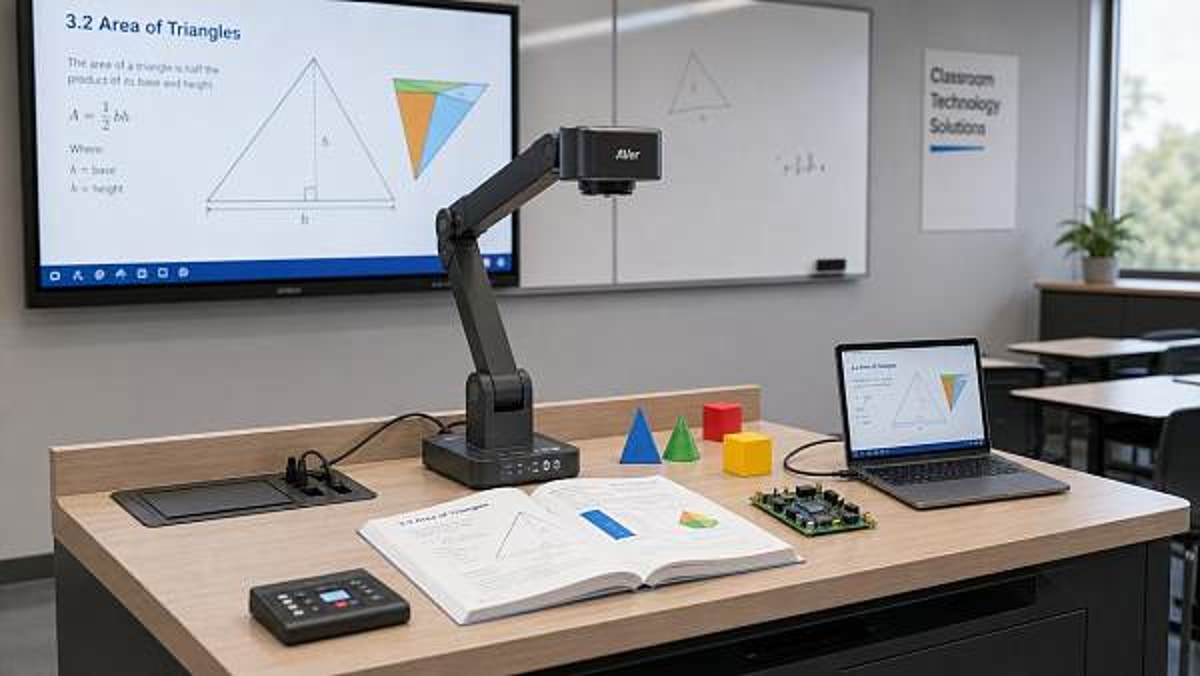
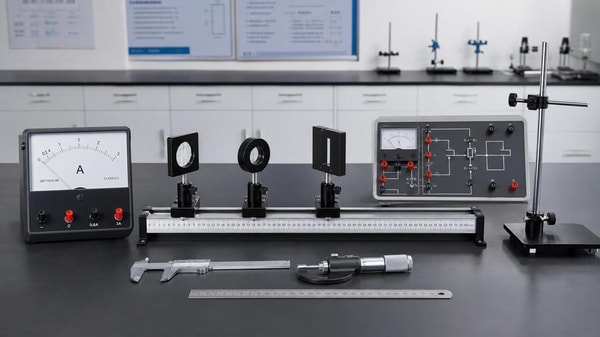
- STEM demonstrations that require detail clarity, including circuit boards, lab samples, measurement tools, and geometric construction.
- Art, design, and craft instruction where color fidelity, texture, and material edges must be visible.
- Frequent zooming and repositioning during live lessons, where autofocus speed and image stabilization affect teaching rhythm.
- Rooms with uneven or low lighting, where sensor quality and built-in illumination significantly impact usability.
Key image-quality checks for technical evaluators
Do not rely on resolution claims alone. A camera marketed as high resolution may still perform poorly in practical classroom conditions. Technical evaluators should inspect several linked factors:
- Sensor performance: look for clean output under standard classroom lighting, not only in ideal showroom conditions.
- Lens quality: check edge sharpness, distortion control, and readability across the full capture area.
- Autofocus speed: slow refocusing interrupts teaching and reduces confidence during live instruction.
- Frame rate and latency: moving hands, page turning, or object rotation should appear smooth on screen.
- Lighting support: integrated LED lighting should reduce shadow without introducing glare on glossy paper or laminated materials.
- Optical versus digital zoom: digital zoom alone can degrade clarity during close inspection tasks.
When software should take the lead in procurement decisions
Software should be the first filter when the institution values workflow efficiency, hybrid learning compatibility, and low-friction adoption across many users. In many modern classrooms, the best document cameras for teachers are not simply the sharpest cameras; they are the ones teachers can use quickly, reliably, and consistently across platforms.
Prioritize software first if your deployment depends on:
- Frequent integration with Zoom, Microsoft Teams, Google Meet, or lecture capture systems.
- Annotation-heavy teaching where drawing, highlighting, freeze-frame, and side-by-side comparison are standard.
- Teachers with mixed technical skill levels who need intuitive controls and minimal setup.
- Shared-device environments in which quick login, preset saving, and easy switching reduce delays between classes.
- District or campus-wide management where firmware updates, driver support, and OS compatibility affect total support burden.
Software checks that deserve close attention
- Platform compatibility: verify support for Windows, macOS, ChromeOS, and any required classroom platforms.
- User interface quality: teachers should reach common functions in a few clicks without searching through technical menus.
- Annotation and capture tools: confirm whether screenshots, recordings, overlays, and whiteboard functions are actually useful, not just present.
- Update reliability: stable firmware and software releases reduce long-term IT risk.
- Security and privacy: if recordings or cloud sharing are included, check data handling practices and permission controls.
- Interoperability: test how smoothly the camera works with interactive flat panels, projectors, USB switching, and AV control systems.
A practical scoring matrix for document cameras for teachers
A weighted scorecard helps technical evaluators turn subjective impressions into repeatable decisions. The table below offers a simple structure that can be adapted by school systems, private training providers, and institutional buyers.
Scenario-based guidance: which factor matters more in different teaching environments
Primary and secondary classrooms
For general K-12 use, the best document cameras for teachers usually require a balanced profile. Image quality must be strong enough to display books, handwriting, and printed worksheets clearly, but software usability often decides adoption. If teachers rotate across rooms or share equipment, simple controls and dependable plug-and-play behavior matter as much as visual quality.
Higher education and lecture capture
Universities and colleges often gain more value from software-first evaluation because devices must connect with lecture recording, content sharing, and conferencing systems. Here, image quality remains important, but platform compatibility, stable drivers, and integration with broader AV infrastructure can have greater operational impact.
STEM labs, vocational training, and design education
These environments should usually prioritize image quality first. Fine mechanical parts, lab materials, electronics, and textured surfaces demand sharper optics and better focus behavior. Software remains useful for annotation and recording, but poor visual capture can directly reduce learning effectiveness.
Hybrid and distance learning environments
In hybrid instruction, software often becomes the deciding factor. A camera with excellent optics but weak conferencing compatibility can create delays, unstable feeds, or duplicated setup steps. For these deployments, technical evaluators should test video routing, audio-video synchronization, virtual camera support, and recording workflow in real conditions.
Commonly overlooked risks that affect long-term value
- Marketing-led specifications: listed megapixels or 4K output do not guarantee readable classroom performance.
- Licensing surprises: some useful software functions may require extra subscriptions or limited-seat activation.
- Weak update support: document cameras for teachers may work well initially but lose reliability after OS changes.
- Poor arm design or base stability: mechanical quality affects positioning speed, vibration control, and durability.
- Inadequate testing under classroom lighting: fluorescent reflections, shadows, and mixed daylight can expose hidden weaknesses.
- Ignoring teacher workflow: if opening software takes too long, teachers may abandon advanced functions completely.
Execution checklist for procurement and pilot testing
- Define the top three instructional use cases and rank them by frequency.
- Set minimum technical thresholds for text clarity, latency, and compatibility.
- Request live demonstrations using real classroom materials, not only vendor-prepared content.
- Pilot at least two device types in different rooms and with different teachers.
- Measure setup time, lesson interruption rate, and software learning curve.
- Compare support terms, firmware history, and expected replacement cycle.
- Calculate total cost of ownership, including training and IT support load.
Final recommendation: do not choose image quality or software in isolation
For most technical evaluators, the best answer is conditional rather than absolute. If instruction depends on fine visual detail, image quality should lead the decision. If deployment success depends on workflow, hybrid teaching, and cross-platform consistency, software should come first. The strongest document cameras for teachers combine both, but budget and operational realities mean one dimension often has to lead the shortlist.
Before moving forward with vendors or sourcing partners, prepare a concise requirement set covering classroom use cases, required connectivity, preferred software functions, support expectations, budget range, and deployment scale. It is also wise to ask about update policy, integration with existing AV and education platforms, delivery timelines, and any OEM or customization options relevant to institutional procurement. That level of clarity will help buyers make faster, lower-risk decisions and secure document camera solutions that remain effective well beyond the initial installation.
Search News
Hot Articles
Popular Tags
Need ExpertConsultation?
Connect with our specialized leisureengineering team for procurementstrategies.
Recommended News
 May 06, 2026Tablet charging carts with locking doors still need these checksTablet charging carts with locking doors still need key checks. Learn how to evaluate ventilation, power safety, mobility, and compatibility before you buy.● Institutional Buyer
 May 06, 2026Document cameras for teachers: image quality or software first?Document cameras for teachers: should you prioritize image quality or software? Explore a practical checklist to compare clarity, workflow, compatibility, and long-term value.● Institutional Buyer
 May 06, 2026Smart podiums for classrooms that fit hybrid teaching betterSmart podiums for classrooms designed for hybrid teaching: compare integration, durability, ergonomics, and serviceability to choose scalable solutions that cut support issues and improve teaching efficiency.● Institutional Buyer
 May 06, 2026Chromebook charging stations and the airflow issue many missChromebook charging stations often look efficient, but airflow is the hidden factor that impacts battery life, safety, and charging performance. Learn what smart buyers should inspect before choosing.● Institutional Buyer
 May 06, 2026Language lab equipment features that improve speaking practiceLanguage lab equipment features can dramatically improve speaking practice. Discover which tools best fit schools, universities, exam centers, and training programs.● Institutional Buyer
 May 06, 2026Wireless presentation systems that solve lag in larger roomsWireless presentation systems for larger rooms: discover how to reduce lag, improve stability, strengthen security, and ensure smooth sharing across enterprise AV and IT environments.● Institutional Buyer
 May 06, 2026Tablet charging carts and the hidden issue of cable wearTablet charging carts face a hidden reliability risk: cable wear. Learn how smarter evaluation can reduce downtime, lower maintenance costs, and improve long-term device performance.● Institutional Buyer
 May 06, 2026Scientific calculators wholesale: when cheaper models cost moreScientific calculators wholesale is not just about the lowest quote. Learn how defects, compliance, batch consistency, and supplier reliability affect true cost—and how smarter sourcing protects margin.● Institutional Buyer
 May 06, 2026IOC Selects Chinese University’s Athlete Support Model as Global Procurement BenchmarkIOC adopts Chinese university's AI psychological coaching + wearable load monitoring model as global procurement benchmark — a strategic opportunity for edtech, sports health tech, and data security providers.● Institutional Buyer
 May 05, 2026Liaoning Tieren Appoints Korean Coach Xu Zhengyuan, Signals Shift in K-League Equipment ProcurementLiaoning Tieren appoints Korean coach Xu Zhengyuan — sparking interest in K-League equipment procurement and KFA 2026-certified smart training tech.● Institutional Buyer
 May 05, 2026Physics lab apparatus: where low-cost kits usually fall shortPhysics lab apparatus buying on price alone often leads to poor accuracy, weak durability, and higher lifecycle costs. Learn what low-cost kits miss and how to source safer, better-value solutions.● Institutional Buyer
 May 05, 2026School laboratory equipment: what should be replaced firstSchool laboratory equipment replacement starts with safety-critical assets. Learn what to replace first to improve compliance, reduce downtime, and maximize tight budgets.● Institutional Buyer
 May 05, 2026Thermal receipt printers: hidden upkeep costs before large rolloutThermal receipt printers may look affordable, but hidden upkeep costs can erode rollout budgets. Learn how to reduce downtime, control maintenance, and choose smarter for scale.● Institutional Buyer
 May 05, 2026Human anatomy models that improve hands-on teaching, not storageHuman anatomy models built for hands-on teaching, not storage. Discover durable, classroom-ready options that improve engagement, simplify setup, and support smarter education sourcing.● Institutional Buyer
 May 05, 2026Ceiling mount projector brackets: where installation mistakes happenCeiling mount projector brackets: discover where installation mistakes happen, how to avoid safety and alignment issues, and the checklist that helps teams deliver smoother AV projects.● Institutional Buyer
 May 05, 2026Barcode scanners for library: common issues with older systemsBarcode scanners for library upgrades can solve slow checkouts, read errors, and compatibility issues in older systems. Learn what fails first and how to choose a reliable replacement.● Institutional Buyer
 May 05, 2026What to check before ordering wholesale projector screensWholesale projector screens buyers should check material, gain, aspect ratio, installation, and supplier consistency before ordering. Reduce sourcing risk and choose reliable commercial solutions.● Institutional Buyer
 May 05, 2026Geography globes wholesale: what makes one model classroom-readyGeography globes wholesale buyers: discover what makes a model truly classroom-ready, from durability and readability to safety, compliance, and reliable bulk supply.● Institutional Buyer
 May 05, 2026Microscope slides wholesale: where quality gaps usually show upMicroscope slides wholesale buyers should watch for hidden quality gaps in flatness, edge finishing, cleanliness, and batch consistency—learn how to reduce waste and choose reliable suppliers.● Institutional Buyer
 May 05, 2026POS touch screens: what affects response speed and lifespanPOS touch screens directly impact checkout speed, uptime, and total cost. Learn what affects response speed and lifespan to choose the right solution for every business scenario.● Institutional Buyer
 May 04, 2026Kindergarten Furniture Bulk Orders and the Safety Details MissedKindergarten furniture bulk buyers: discover the hidden safety checks suppliers often miss, from emissions and stability to ergonomics and compliance, before placing large orders.● Institutional Buyer
 May 04, 2026School Desks and Chairs Wholesale: Matching Age to Size CorrectlySchool desks and chairs wholesale guide: learn how to match age to size correctly for better comfort, safety, compliance, and smarter school furniture purchasing.● Institutional Buyer
 May 04, 2026Library Bookshelves Wholesale: How Much Load Is Really Enough?Library bookshelves wholesale guide: learn how much load is truly enough for safety, durability, and compliance. Compare ratings, avoid costly mistakes, and choose the right shelving with confidence.● Institutional Buyer
 May 04, 2026Smart Interactive Whiteboards: Which Features Get Used Daily?Smart interactive whiteboards: discover which features teams and teachers actually use daily, from touch accuracy and wireless casting to easy collaboration, ROI, and smarter buying decisions.● Institutional Buyer