Barcode scanners for library: common issues with older systems
Many libraries still rely on legacy circulation systems that slow checkouts, trigger read errors, and complicate inventory control. When evaluating barcode scanners for library environments, technical teams must look beyond basic scanning speed to issues like software compatibility, label wear, workflow bottlenecks, and long-term maintenance. Understanding where older systems fail is the first step toward a more reliable and scalable solution.
Why do older barcode scanners for library operations become a problem over time?
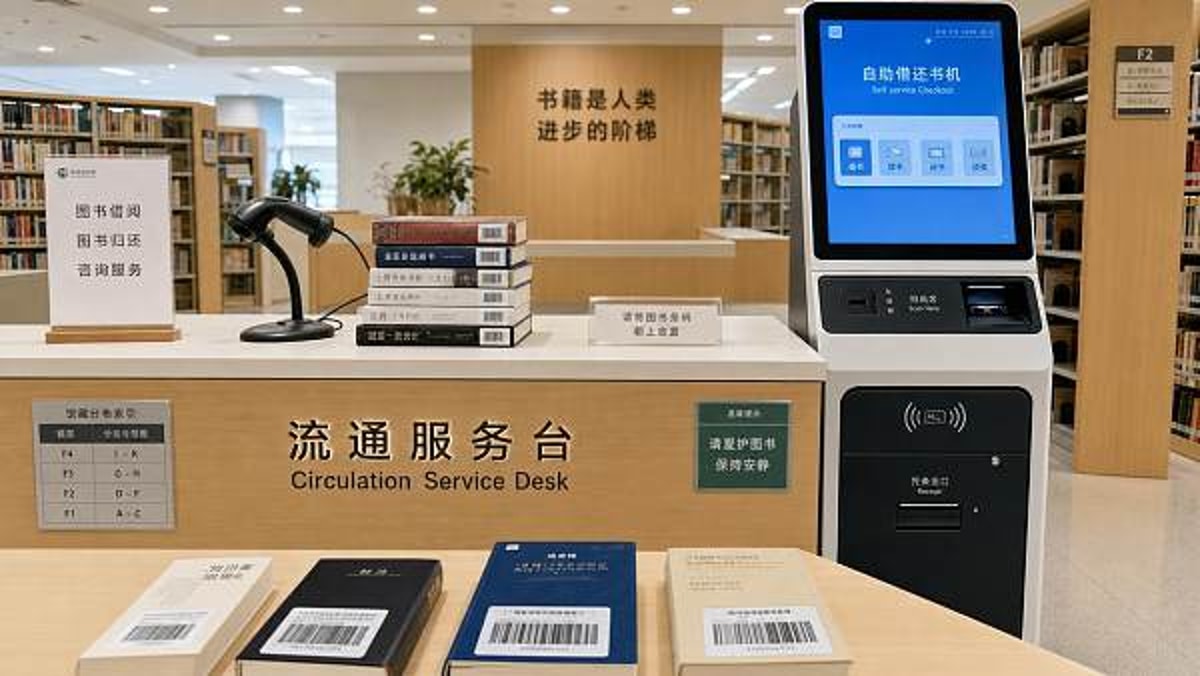
Older barcode scanners for library use often remain in service far beyond their ideal lifecycle because they still “work” at a basic level. The issue is that technical performance usually degrades long before complete device failure. In a library setting, even small delays matter: a half-second hesitation at checkout, repeated rescans during returns, or inconsistent reads during shelf inventory quickly add up across thousands of transactions.
Legacy devices commonly struggle with faded labels, glossy protective covers, curved book spines, and damaged patron cards. Many were designed around earlier barcode printing standards and lower workflow expectations. As collections grow and circulation software becomes more integrated with self-check, security gates, analytics, and mobile inventory tools, older scanners can create hidden bottlenecks rather than visible outages.
For technical evaluation teams, the concern is not only hardware age. It is the combined effect of outdated scan engines, limited interface support, driver dependency, poor tolerance for worn labels, and rising maintenance effort. In other words, the cost of old barcode scanners for library systems is usually operational before it becomes capital.
What are the most common issues found in older library scanning systems?
When assessing barcode scanners for library workflows, technical teams usually encounter a recurring set of failure points. These problems affect not only circulation desks but also back-room processing, stock verification, interlibrary loan handling, and self-service kiosks.
A frequent oversight is assuming scan accuracy issues come from labels alone. In reality, the problem may be a mismatch between barcode quality, scanner optics, host software parsing rules, and staff workflow. That is why a technical review of barcode scanners for library environments should include both device testing and process observation.
How does software compatibility affect barcode scanners for library modernization?
Software compatibility is often the decisive factor in whether scanner replacement is simple or disruptive. Many older scanners were deployed when integrated library systems, circulation clients, and operating systems were far less standardized. Today, libraries may run browser-based interfaces, virtual desktops, self-service software, SIP2-based devices, RFID hybrids, or cloud-hosted circulation tools. A scanner that only performs reliably in a keyboard wedge mode may not fit every modern endpoint.
Technical evaluators should confirm whether barcode scanners for library use support the interfaces actually deployed across the estate: USB HID, serial emulation, kiosk integration, handheld mobile terminals, and remote management utilities. In multi-branch systems, centralized configuration becomes especially valuable. If each unit requires manual programming with setup barcodes, support teams may face unnecessary labor each time a workstation is reimaged or a branch changes software.
Another compatibility issue is data formatting. Some older devices send suffixes, prefixes, or timing patterns that legacy clients expect but newer applications reject. Others lack the flexibility to support evolving barcode symbologies or application settings. Before approving any refresh, run tests not only at the main desk but also in self-check lanes, accession workflows, reserve processing, and off-site inventory scenarios.
Are read errors mainly caused by damaged labels, or by the scanner itself?
The honest answer is usually both. Libraries operate in a physically demanding environment for labels. Book jackets shift, adhesive edges lift, plastic covers create glare, and repeated handling gradually wears printed surfaces. If a label was poorly placed on a curved spine or printed with low contrast years ago, even a high-quality scanner may hesitate. However, aging scan engines amplify these defects because they offer less depth of field, weaker decoding algorithms, and lower tolerance for print variation.
This is why replacement decisions should not focus only on the scanner model. A practical review includes label audit sampling. Test a representative mix of old and new books, patron cards, media cases, and special collections. Measure first-pass read rate rather than just whether a barcode can eventually be scanned. In circulation terms, first-pass success has far greater operational value than theoretical readability.
Technical teams should also identify whether barcode scanners for library tasks are being used outside their intended design. For example, a handheld device optimized for front-desk checkouts may perform poorly during shelf reading where angle, distance, and ambient lighting differ. Likewise, scanners selected years ago for 1D labels may now face mixed-use needs alongside mobile apps or future migration plans.
What should technical evaluators compare when selecting new barcode scanners for library environments?
A strong evaluation framework goes beyond product brochures. Technical teams should compare devices against library-specific use cases, support requirements, and replacement horizons. The goal is not just to buy a faster scanner but to reduce friction across the full circulation and inventory lifecycle.
For many institutions, a mixed deployment is more effective than a one-size-fits-all purchase. Counter scanners, cordless units for exceptions, and mobile devices for inventory may each serve different tasks better. The best barcode scanners for library programs are often those mapped to workflow roles rather than selected as a single standard simply for convenience.
What mistakes do libraries make when replacing legacy barcode systems?
One common mistake is evaluating devices only in ideal test conditions. A scanner that reads clean sample labels at a vendor demo may still underperform when facing older media cases, laminated borrower cards, low desk lighting, and fast-paced peak-hour operation. Real-world testing should include actual collection items from different branches and age ranges.
Another mistake is treating the project as a hardware swap instead of a workflow upgrade. If the current process includes awkward screen navigation, manual exception logging, or inconsistent label placement, new barcode scanners for library service desks will improve only part of the problem. Technical teams should coordinate with circulation managers, cataloging staff, and branch operations to identify process-level inefficiencies before procurement.
A third error is underestimating support and training. Even straightforward scanners may introduce new beeper patterns, trigger behavior, pairing procedures, or kiosk settings. Without a documented rollout plan, branches can drift into different configurations, creating confusion for users and help desks. Standardized profiles, quick test scripts, and a defined exception process will reduce that risk.
How should teams balance cost, maintenance, and future scalability?
The lowest purchase price rarely reflects the true cost of barcode scanners for library systems. Technical evaluators should look at total cost of ownership across several years, including support tickets, spare units, user downtime, cable failures, replacement frequency, and staff time lost to rescans. In high-volume libraries, small improvements in scan reliability can produce measurable savings in labor and patron wait time.
Scalability matters as well. A device that meets today’s 1D circulation needs may not support tomorrow’s mobile workflows, kiosk redesigns, or broader data capture requirements. Even if the library remains barcode-based, flexibility in configuration and endpoint compatibility can protect the investment when desktops, operating systems, or service models change.
For organizations with distributed procurement responsibilities, it is useful to define a standard evaluation matrix and approved device list. This helps maintain quality control across branches while still allowing room for specialized exceptions such as archives, media lending, or educational campus partnerships. In a broader commercial sourcing context, this approach aligns with how professional buyers assess operational equipment: by measurable workflow value, integration fit, and lifecycle reliability rather than unit cost alone.
What should be confirmed before moving forward with a scanner upgrade?
Before final selection, technical teams should validate a short list of practical questions. Do the proposed barcode scanners for library use achieve strong first-pass reads on older labels? Can they be deployed consistently across all target endpoints? Is remote or repeatable configuration available? Are vendor support terms clear for the expected service life? Will branches need different form factors for desk, kiosk, and inventory work?
It is also wise to confirm whether weak scanner performance is masking upstream issues such as poor label design, aging printers, inconsistent barcode placement, or outdated circulation screen logic. Solving only the device layer may leave avoidable inefficiencies in place. A short pilot in one or two representative branches usually delivers more useful evidence than a paper comparison alone.
If you need to confirm a practical roadmap, start the conversation around five points: the exact software environment, typical barcode condition, branch workflow differences, expected device lifespan, and support ownership after rollout. Those answers will make it easier to narrow down the right barcode scanners for library operations, estimate implementation effort, and define a sourcing plan that is technically sound and operationally durable.
Search News
Hot Articles
Popular Tags
Need ExpertConsultation?
Connect with our specialized leisureengineering team for procurementstrategies.
Recommended News
 May 05, 2026Physics lab apparatus: where low-cost kits usually fall shortPhysics lab apparatus buying on price alone often leads to poor accuracy, weak durability, and higher lifecycle costs. Learn what low-cost kits miss and how to source safer, better-value solutions.● Institutional Buyer
 May 05, 2026School laboratory equipment: what should be replaced firstSchool laboratory equipment replacement starts with safety-critical assets. Learn what to replace first to improve compliance, reduce downtime, and maximize tight budgets.● Institutional Buyer
 May 05, 2026Thermal receipt printers: hidden upkeep costs before large rolloutThermal receipt printers may look affordable, but hidden upkeep costs can erode rollout budgets. Learn how to reduce downtime, control maintenance, and choose smarter for scale.● Institutional Buyer
 May 05, 2026Human anatomy models that improve hands-on teaching, not storageHuman anatomy models built for hands-on teaching, not storage. Discover durable, classroom-ready options that improve engagement, simplify setup, and support smarter education sourcing.● Institutional Buyer
 May 05, 2026Ceiling mount projector brackets: where installation mistakes happenCeiling mount projector brackets: discover where installation mistakes happen, how to avoid safety and alignment issues, and the checklist that helps teams deliver smoother AV projects.● Institutional Buyer
 May 05, 2026Barcode scanners for library: common issues with older systemsBarcode scanners for library upgrades can solve slow checkouts, read errors, and compatibility issues in older systems. Learn what fails first and how to choose a reliable replacement.● Institutional Buyer
 May 05, 2026What to check before ordering wholesale projector screensWholesale projector screens buyers should check material, gain, aspect ratio, installation, and supplier consistency before ordering. Reduce sourcing risk and choose reliable commercial solutions.● Institutional Buyer
 May 05, 2026Geography globes wholesale: what makes one model classroom-readyGeography globes wholesale buyers: discover what makes a model truly classroom-ready, from durability and readability to safety, compliance, and reliable bulk supply.● Institutional Buyer
 May 05, 2026Microscope slides wholesale: where quality gaps usually show upMicroscope slides wholesale buyers should watch for hidden quality gaps in flatness, edge finishing, cleanliness, and batch consistency—learn how to reduce waste and choose reliable suppliers.● Institutional Buyer
 May 05, 2026POS touch screens: what affects response speed and lifespanPOS touch screens directly impact checkout speed, uptime, and total cost. Learn what affects response speed and lifespan to choose the right solution for every business scenario.● Institutional Buyer
 May 04, 2026Kindergarten Furniture Bulk Orders and the Safety Details MissedKindergarten furniture bulk buyers: discover the hidden safety checks suppliers often miss, from emissions and stability to ergonomics and compliance, before placing large orders.● Institutional Buyer
 May 04, 2026School Desks and Chairs Wholesale: Matching Age to Size CorrectlySchool desks and chairs wholesale guide: learn how to match age to size correctly for better comfort, safety, compliance, and smarter school furniture purchasing.● Institutional Buyer
 May 04, 2026Library Bookshelves Wholesale: How Much Load Is Really Enough?Library bookshelves wholesale guide: learn how much load is truly enough for safety, durability, and compliance. Compare ratings, avoid costly mistakes, and choose the right shelving with confidence.● Institutional Buyer
 May 04, 2026Smart Interactive Whiteboards: Which Features Get Used Daily?Smart interactive whiteboards: discover which features teams and teachers actually use daily, from touch accuracy and wireless casting to easy collaboration, ROI, and smarter buying decisions.● Institutional Buyer
 May 04, 2026Student Chairs With Writing Pad: Which Sizes Fit Best?Student chairs with writing pad: discover which sizes best support comfort, posture, room capacity, and tablet use. Compare fit options for schools, universities, and training spaces.● Institutional Buyer
 May 03, 2026Beijing Women's FC Win Spurs AI Training System Export to UKBeijing Women's FC win sparks UK demand for AI sports training systems — real-time analytics, GDPR/ISO 27001 compliance & Heathrow logistics insights revealed.● Institutional Buyer
 May 01, 2026Park Trash Cans That Cut Maintenance Instead of Adding ItPark trash cans that reduce labor, resist weather, and stay cleaner longer. Learn which designs, materials, and features help lower maintenance costs across parks and outdoor spaces.● Institutional Buyer
 May 01, 2026Park Drinking Fountains That Hold Up Better in Public SpacesPark drinking fountains built for public spaces need durability, hygiene, and low maintenance. Discover how to choose vandal-resistant models that cut long-term costs.● Institutional Buyer
 May 01, 2026Restaurant POS Systems That Reduce Training Time at the CounterRestaurant POS systems that cut counter training time: compare intuitive workflows, role-based controls, and error-reducing features to speed onboarding and improve service consistency.● Institutional Buyer
 Apr 30, 20262026 Shanghai Smart Campus Expo: VR EdTech Gains ITU & ISO/IEC 23053 Dual CertificationVR EdTech gains ITU & ISO/IEC 23053 dual certification at 2026 Shanghai Smart Campus Expo—key for global smart PE tenders in UAE, Thailand & ASEAN.● Institutional Buyer
 Apr 29, 20262026 Shanghai Smart Campus Expo: VR EdTech Gains ITU & ISO/IEC Dual CertVR EdTech gains ITU & ISO/IEC dual cert at 2026 Shanghai Smart Campus Expo—key for exporters, integrators & compliance providers.● Institutional Buyer
 Apr 28, 20262026 Shanghai Smart Campus Expo: VR Teaching Devices Gain ITU & ISO/IEC 23053 CertificationVR teaching devices certified to ITU & ISO/IEC 23053 at 2026 Shanghai Smart Campus Expo—unlock EU tenders, interoperability, and global edtech growth.● Institutional Buyer
 Apr 27, 20262026 Shanghai Smart Campus Expo: VR EdTech Gains ITU & ISO/IEC Dual CertificationVR EdTech gains ITU & ISO/IEC dual certification at 2026 Shanghai Smart Campus Expo—key for global edtech exporters, integrators, and compliance teams.● Institutional Buyer
 Apr 26, 20262026 Shanghai Smart Campus Expo: VR EdTech Devices Gain ITU & ISO/IEC 23053 CertificationVR EdTech devices certified to ITU & ISO/IEC 23053 at 2026 Shanghai Smart Campus Expo — key for GCC & SEA education exporters, integrators, and compliance teams.● Institutional Buyer