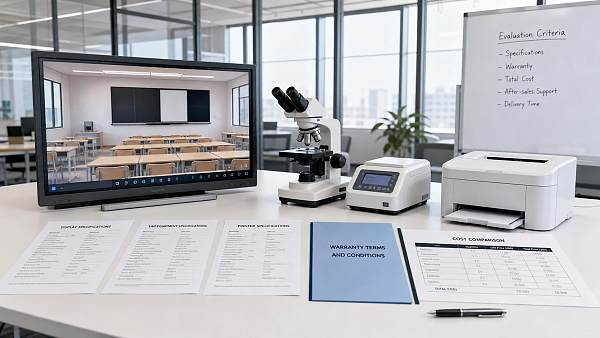
How to Plan Smart Classroom Solutions That Improve Learning and IT Manageability
Planning smart classroom solutions is often treated as an AV procurement exercise: select interactive displays, add cameras and wireless sharing, then connect everything to the network. That approach can produce impressive demonstration rooms but unreliable teaching environments. The real challenge is designing a repeatable learning space that works under daily conditions—when a teacher arrives late, a device is not updated, a network segment is congested, or support staff must resolve an issue remotely across dozens of rooms.
A successful deployment balances two outcomes that can appear to compete: better learning experiences and lower operational complexity. The first depends on technology being easy enough to disappear into the teaching process. The second depends on standardisation, visibility, security, and serviceability. Neither is achieved by choosing a single “smart” device. Both are shaped by planning decisions made before equipment specifications are finalised.
Start with teaching workflows, not a device list
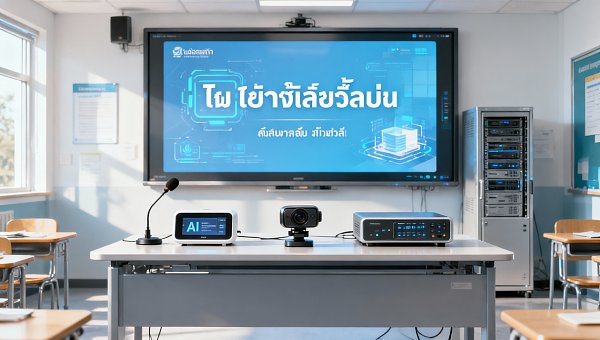
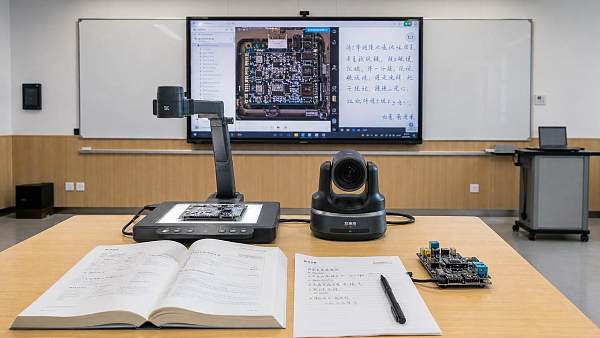
The most useful question at the beginning is not “Which display size is required?” but “What must happen in this room during a normal teaching day?” Classroom use varies substantially between a primary classroom, a higher-education seminar room, a vocational workshop, a lecture hall, and a hybrid training space. A room designed around one generic equipment package can force educators to work around the technology rather than with it.
Document the recurring teaching workflows before defining the technical scope. These may include:
- an instructor presenting from a managed laptop or personal device;
- students sharing work from different operating systems;
- annotation over documents, video, or digital whiteboards;
- small-group collaboration with local or shared displays;
- remote participation through a chosen conferencing platform;
- lesson recording, lecture capture, or content distribution;
- accessibility support, including captions, hearing assistance, and visible content from multiple positions in the room.
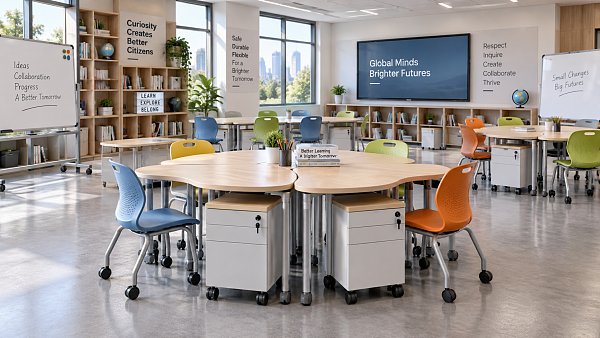
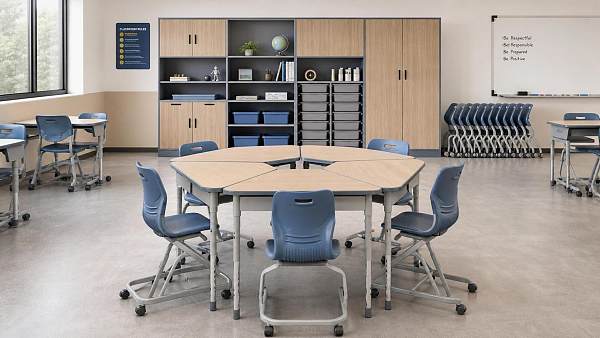
The output should be a set of room-use scenarios, not a catalogue of features. For example, a room that requires frequent student sharing needs a fast, controlled method for switching sources. A lecture space that records sessions needs predictable camera framing, intelligible audio, consent and retention procedures, and an integration path into the institution’s learning platform. A flexible classroom with movable furniture may need wireless presentation and robust coverage more than a large fixed control system.
Feature lists can obscure these distinctions. A display may support whiteboarding, screen sharing, and video conferencing, but the relevant issue is whether these functions are available in the organisation’s approved workflow, with the required accounts, permissions, and network policy. If a feature requires repeated manual configuration, it should not be counted as a dependable operational capability.
Build a room taxonomy before standardising
Standardisation is essential for support and procurement, but it should be based on a manageable number of room types rather than a single design for every space. A practical taxonomy might separate standard teaching rooms, collaborative seminar rooms, hybrid-enabled teaching rooms, specialist laboratories, large lecture rooms, and divisible multipurpose spaces.
Each type should have a clear baseline: display or projection format, input methods, camera and microphone requirement, control interface, cabling approach, network connection, and support model. The baseline can then be adapted only where the learning case or physical constraints justify it.
This matters because unnecessary variation creates a hidden maintenance burden. A campus with five brands of interactive display, several wireless sharing systems, different room controllers, and inconsistent audio designs will eventually face fragmented firmware updates, incompatible accessories, multiple support contracts, and a longer troubleshooting cycle. Conversely, over-standardisation can be equally damaging if specialised teaching activities are pushed into spaces that cannot support them.
The design objective is controlled variation. Standardise the architecture, management approach, user experience, and service parts wherever possible. Permit exceptions through a documented approval process linked to genuine instructional or site-specific requirements.
Test the physical room before finalising the technology
Smart classroom solutions are constrained by the room long before they are constrained by software. Sightlines, daylight, acoustic behaviour, ceiling structure, electrical capacity, ventilation, furniture layout, and cable pathways all affect whether a system will perform as intended.
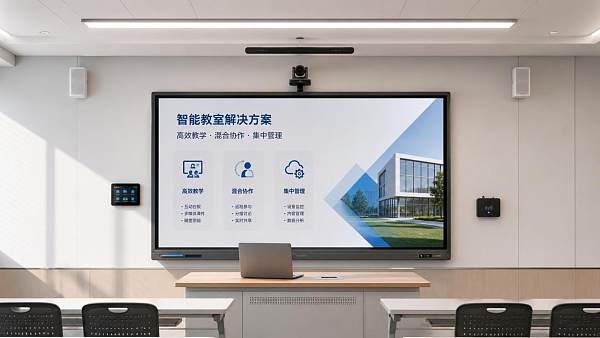
Display selection should account for viewing distance, room depth, font size, and ambient light rather than diagonal size alone. An interactive flat panel can be highly effective in a standard room, but reflective surfaces and poorly controlled daylight can reduce visibility. Projection may remain appropriate for some large rooms or specialist applications, provided the room supports it and maintenance of lamps or laser projectors is included in lifecycle planning.
Audio is frequently underestimated. Hybrid teaching fails more often because remote participants cannot hear clearly than because they cannot see the display. Before specifying ceiling microphones, soundbars, or tabletop devices, assess room reverberation, HVAC noise, ceiling height, furniture density, and speaker position. A microphone system cannot fully compensate for a highly reverberant room. In larger or acoustically difficult spaces, basic acoustic treatment may deliver more value than an additional camera feature.
Installation surveys should also verify mounting surfaces, fire-stopping requirements for penetrations, local electrical codes, accessible cable routes, equipment rack ventilation, and future access for replacement. A design that looks clean at handover but requires dismantling furniture or opening ceilings for routine service is not operationally mature.
Design the network as part of the classroom system
Connected classrooms place predictable but significant demands on network infrastructure. Video conferencing, wireless presentation, device management, cloud applications, digital signage, and content streaming may all share the same wired and wireless environment. The issue is not simply bandwidth. Reliability, segmentation, multicast handling, authentication, quality of service, and visibility matter just as much.
A network readiness assessment should be completed before mass deployment. It should examine switch capacity, Power over Ethernet requirements where relevant, Wi-Fi density, roaming performance, wired uplink availability, VLAN design, firewall rules, DNS and time services, and the expected use of multicast or discovery protocols. Wireless presentation platforms, for example, can depend on network discovery mechanisms that are restricted across segmented networks. Solving this after installation often results in insecure workarounds or inconsistent user experience.
Separate operational technology appropriately from general user traffic. AV endpoints, room controllers, cameras, displays, and management appliances may require their own network segments and tightly defined communication paths. Segmentation should not prevent legitimate integrations, but it limits the impact of compromised or poorly maintained devices.
Network planning must also consider failure modes. If internet access is interrupted, can local teaching continue? If an identity service is unavailable, can the room still display a locally connected source? If wireless sharing fails, is there a simple wired fallback? A classroom should degrade gracefully rather than become unusable because one cloud-dependent component is unavailable.
Make cybersecurity and privacy design requirements
Classroom technology is increasingly part of the institution’s attack surface. Interactive displays may run operating systems and applications. Cameras and microphones may capture personal data. Wireless sharing tools can create unauthorised access paths if poorly configured. Remote management platforms may provide powerful administrative control across an entire estate.
Security requirements should be written into specifications and supplier evaluation, not added during commissioning. At a minimum, require a documented firmware and security-update policy, authenticated administrative access, role-based permissions, encrypted management traffic, audit logging where applicable, and a clear process for vulnerability disclosure and remediation. Default passwords, unsupported operating systems, unmanaged local administrator accounts, and undocumented cloud services should be treated as deployment risks.
For systems that process recordings, images, voices, attendance data, or user account information, privacy governance must be established early. This includes identifying the data controller and processors, deciding where data is hosted, setting retention periods, defining access rights, and providing appropriate notices or consent processes where required by local law and institutional policy. A camera designed for remote teaching should not quietly become a general room-monitoring device.
Procurement teams should also distinguish between products that offer cloud convenience and those that require data to leave the organisation’s preferred region or security boundary. The correct choice depends on policy, contract terms, and operational need—not on whether a cloud dashboard is included at no extra apparent cost.
Interoperability should be demonstrated, not promised
Classroom systems rarely operate in isolation. They interact with managed computers, personal devices, identity platforms, learning management systems, conferencing services, room booking tools, network access controls, and help-desk processes. Compatibility claims in a proposal are not enough. The critical integrations should be demonstrated in a representative environment before final commitment.
A pilot should test actual user devices and approved applications, including different versions of Windows, macOS, ChromeOS, iOS, and Android where these are in scope. It should test account sign-in and sign-out behaviour, wireless sharing, browser-based content, USB peripheral recognition, room control, conferencing handoff, accessibility functions, and remote support procedures.
Particular attention is needed for USB-based room systems. Cameras, microphones, touch interfaces, and speaker devices can behave differently across laptop hardware, operating system versions, and conferencing clients. A technically compliant USB connection is not the same as a consistently usable classroom workflow. Define the supported use cases clearly, publish them for users, and avoid promising universal compatibility that support teams cannot maintain.
Specify manageability as carefully as user-facing capability
Technology that cannot be monitored and maintained at scale will gradually become less reliable, even if it performs well at installation. Central management should therefore be a core criterion in smart classroom solutions.
Useful management capabilities include device inventory, status monitoring, remote configuration, firmware deployment, scheduled power control, fault alerts, usage reporting, and the ability to restore a standard configuration. These functions should be assessed across the full room system, not only the main display. It is of limited value to monitor an interactive panel if the connected compute module, camera, wireless sharing appliance, and room controller all require separate, manual tools.
Management data should support decisions, not merely generate dashboards. Repeated loss of network connection in a group of rooms may indicate a switch or Wi-Fi issue. Frequent source-switching failures may point to a training problem or an unclear control interface. High after-hours power consumption can justify revised shutdown policies. Usage data should be interpreted cautiously, however: screen-on time does not measure learning quality.
Maintain a configuration baseline for each room type, including firmware versions, network settings, installed applications, control logic, accessories, and warranty status. This makes replacement, auditing, and incident response substantially easier. It also prevents the common situation where a room works only because of undocumented changes made during a past support visit.
Plan delivery around commissioning, adoption, and service
A smart classroom project should not be considered complete when hardware is mounted. The critical period begins when rooms enter real use. Commissioning must confirm not only that each device powers on, but that the complete user journey works under normal network and account conditions.
Acceptance testing should include display quality, touch calibration where applicable, all source inputs, audio pickup and playback, camera image, wireless presentation, conferencing calls, control interface behaviour, network reconnection, remote monitoring, shutdown schedules, and fallback procedures. Tests should be documented by room, with defects classified by impact and resolved before broad handover.
Training should be differentiated. Teachers need concise, task-based guidance: start a lesson, connect a device, share content, run a hybrid session, and get help. Local support teams need diagnostic information, escalation paths, and access to configuration records. Facilities personnel may need guidance on physical reset procedures, cleaning requirements, and safe access to equipment. Long feature demonstrations are less useful than brief instruction tied to the most frequent classroom tasks.
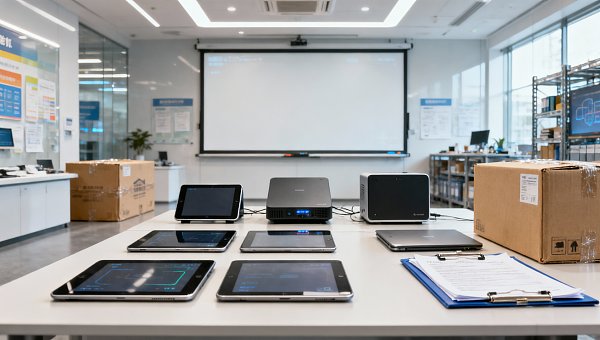
Include spare devices and replacement lead times in the operational plan. A failed adapter, pen, remote control, power supply, or camera may disrupt a room more than a major system failure, yet these low-cost components are often omitted from service planning. For multi-site deployments, establish regional stock levels and define what can be replaced locally versus what requires a specialist technician.
Evaluate cost through the full operating life
Capital cost is visible during procurement; operational cost emerges slowly through support tickets, subscriptions, replacement parts, firmware management, training, and room downtime. Comparing solutions only by installed price can therefore favour a system that is expensive to operate.
A lifecycle assessment should include the expected service life of displays, compute devices, cameras, control hardware, and batteries or consumables; recurring licence fees; support and warranty terms; installation complexity; energy use; staff training; and expected refresh cycles. It should also consider the cost of inconsistency. A lower-priced product that introduces a new management platform or requires separate technician training may create disproportionate cost across a large estate.
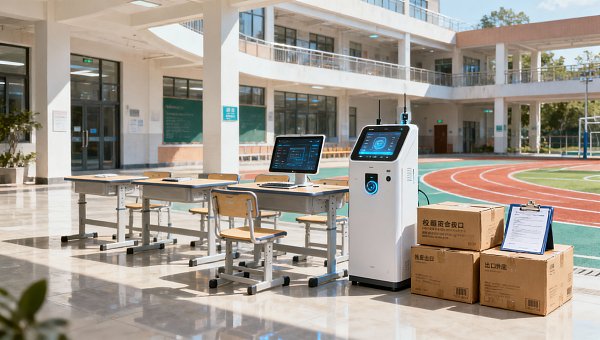
Supplier assessment should extend beyond product availability. Ask whether firmware support has a defined duration, whether spare parts can be sourced internationally, whether technical documentation is sufficiently detailed, whether local service partners are available, and how the supplier manages product discontinuation. In cross-border sourcing, clarify certification requirements for the destination market, electrical plug and voltage requirements, language support, warranty jurisdiction, shipping damage procedures, and customs responsibilities before contracts are signed.
Use pilots to reduce uncertainty, not to delay decisions
A pilot is valuable when it answers specific questions that cannot be resolved through specifications alone. It should represent real room conditions and real users, with agreed success criteria. These might include successful completion of a hybrid lesson, connection time for common devices, support call frequency, remote management coverage, audio intelligibility, and performance under peak network load.
Do not treat a pilot room as a showcase installation. If it receives exceptional network attention, dedicated on-site support, or equipment combinations that cannot be replicated at scale, its results will be misleading. A useful pilot exposes practical friction early: unclear controls, unstable discovery protocols, insufficient microphone coverage, difficult firmware updates, or training gaps.
The eventual design does not need to include every emerging classroom technology. It needs to support the teaching model, fit the physical estate, meet security obligations, and remain manageable through years of change. When those foundations are in place, smart classroom solutions become less about adding connected devices and more about creating dependable learning environments that can evolve without creating an unmanageable IT burden.
Search News
Hot Articles
- Pro Stage AudioDesigning Theater Sound Systems for Clear Dialogue and Even Audience CoverageOct 15, 2026
- Musical InstrumentsHow Do You Choose Music Education Equipment for a New Campus?Oct 15, 2026
- Arcade & VR MachinesChoosing a Racing Simulator Cockpit for an FEC: Durability and Guest FitOct 14, 2026
Popular Tags
Need ExpertConsultation?
Connect with our specialized leisureengineering team for procurementstrategies.
Recommended News
 Sep 28, 2026How U.S. Schools Can Choose Laboratory Equipment for Safe, Compliant Science LabsSchool laboratory equipment USA: learn how to select safe, compliant lab furniture, ventilation, emergency systems, and durable tools for K–12 science labs.● Institutional Buyer
 Sep 16, 2026How to Source Educational Furniture Worldwide for Safe, Flexible Learning SpacesEducational furniture worldwide: learn how to source safe, flexible, durable learning-space solutions while controlling compliance, logistics, and lifecycle costs.● Institutional Buyer
 Aug 31, 2026How to Plan Smart Classroom Solutions That Improve Learning and IT ManageabilitySmart classroom solutions: learn how to plan secure, scalable teaching spaces that improve learning, simplify IT management, and reduce lifecycle costs.● Institutional Buyer
 Aug 01, 2026How to Specify an EN54 School PA System for Safe, Compliant Campus Voice EvacuationEN54 school PA system specification guide for safer, compliant campus voice evacuation. Learn zoning, intelligibility, monitoring, tender tips, and handover checks.● Institutional Buyer
 Jul 15, 2026Vietnam Tightens Import Rules for Smart Campus TechVietnam Tightens Import Rules for Smart Campus Tech: learn how MOIT’s 2026 data hosting and NEP connection rules may reshape import approval, sourcing timelines, and delivery planning.● Institutional Buyer
 Jul 14, 2026Thailand TISI Tightens Rules for Smart Campus TerminalsThailand TISI tightens rules for smart campus terminals, requiring Thai speech recognition and local biometric data storage. Learn the compliance impact, timeline risks, and what exporters must do now.● Institutional Buyer
 Jul 13, 2026Red Sea Rerouting Lifts Smart Campus Tech Shipping CostsRed Sea rerouting lifts Smart Campus Tech shipping costs, extends Asia-Europe booking lead times, and delays delivery. See what exporters, buyers, and logistics teams should do now.● Institutional Buyer
 Jul 12, 2026Event Technology for Live Venues: What Systems Matter Most for Seamless Operations?Event technology defines how live venues handle ticketing, AV, access, and monitoring. Discover which systems matter most for seamless operations, higher uptime, and better guest experiences.● Institutional Buyer
 Jul 11, 2026What Is a Campus Procurement Platform and How Does It Improve School Purchasing Workflows?Campus procurement platform explained: learn how it streamlines school purchasing workflows, improves approval control, boosts spend visibility, and reduces delays across campus buying.● Institutional Buyer
 Jul 10, 2026Vietnam Raises Smart Campus Tech Import Tariff to 12%Vietnam Raises Smart Campus Tech Import Tariff to 12%: explore how the new Vietnam smart campus tech tariff impacts pricing, sourcing, and local assembly strategies across Southeast Asia.● Institutional Buyer
 Jul 10, 2026Interactive Document Camera vs Webcam: Which Works Better for Smart Classrooms?Interactive document camera vs webcam: discover which delivers clearer content sharing, faster lesson flow, and better hybrid teaching performance for smart classrooms.● Institutional Buyer
 Jul 09, 2026RCEP Rule Adds Carbon Footprint Filings for Smart Campus Tech ExportsRCEP Rule reshapes Smart Campus Tech exports: learn how new carbon footprint filings for Singapore, Thailand, and Vietnam affect customs clearance, lead times, and compliance planning before October 1, 2026.● Institutional Buyer
 Jul 09, 2026Basketball Hoops for Campuses: Which Backboard, Rim, and Mounting Type Fits Your Site?Basketball hoops for campuses: compare backboard, rim, and mounting options by site needs. Learn how to choose safer, longer-lasting systems for outdoor courts, gyms, and multipurpose halls.● Institutional Buyer
 Jul 09, 2026Modular Educational Furniture: What to Check Before Planning Flexible ClassroomsModular educational furniture: learn what to check before planning flexible classrooms, from safety and durability to teaching fit, supplier quality, and long-term value.● Institutional Buyer
 Jul 08, 2026Shenzhen-Yokohama Port Delays Fall to 2.1 DaysShenzhen-Yokohama Port Delays fall to 2.1 days, cutting shipment cycles by 5–7 days for smart campus equipment. See how faster port efficiency can ease Q3 school delivery pressure.● Institutional Buyer
 Jul 07, 2026FBX Slide Pushes Smart Campus Freight Below $980/FEUFBX Slide Pushes Smart Campus Freight Below $980/FEU as Asia-Europe rates tumble. Discover what this means for smart campus shipments, booking risks, and cost-saving opportunities.● Institutional Buyer
 Jul 07, 2026Math Manipulatives Bulk Price Guide: Cost Drivers, Pack Sizes, and School Budget PlanningMath manipulatives bulk price explained: compare cost drivers, pack sizes, landed costs, and school budget planning tips to source smarter and avoid hidden expenses.● Institutional Buyer
 Jul 04, 2026RCEP Update Expands Indonesia Duty-Free Quota for Edu DevicesRCEP Update Expands Indonesia Duty-Free Quota for Edu Devices: learn how the new 80,000-unit quota reshapes export costs, compliance, and school procurement opportunities in Indonesia.● Institutional Buyer
 Jul 03, 2026Indonesia Enforces ID-SNI Labels on Smart Campus ImportsIndonesia Enforces ID-SNI Labels on Smart Campus Imports: learn how the new rule affects labeling, customs clearance, certification, and delivery readiness for compliant market entry.● Institutional Buyer
 Jul 03, 2026How to Choose Indoor School Sports Equipment for Age Groups, Space, and Safety NeedsIndoor school sports equipment buying guide for schools: learn how to match age groups, space limits, and safety standards to choose durable, efficient solutions.● Institutional Buyer
 Jul 02, 2026Chromebook Charging Stations for Schools: Cart vs Cabinet vs Wall-Mount OptionsChromebook charging stations for schools compared: cart, cabinet, and wall-mount options. Discover the best fit for security, space, mobility, and budget before you buy.● Institutional Buyer
 Jul 01, 2026Indonesia Opens RCEP Fast Track for Smart Campus IoTIndonesia opens an RCEP fast track for Smart Campus IoT, cutting Jakarta customs clearance to 12 hours for eligible HS 8517.62 devices. See who qualifies and how to prepare.● Institutional Buyer
 Jun 30, 2026Flexible Learning Spaces for K-12 and Higher Ed: Layout Ideas, Furniture, and Tech NeedsFlexible learning spaces for K-12 and higher ed: explore practical layout ideas, durable furniture, and smart tech strategies that improve teaching, flexibility, and long-term campus value.● Institutional Buyer
 Jun 30, 2026Campus Equipment Procurement Checklist: How to Compare Specs, Warranties, and Total CostCampus equipment procurement made practical: compare specs, warranty terms, supplier reliability, and total cost to avoid hidden expenses and make smarter campus buying decisions.● Institutional Buyer