Can AV Systems Be Retrofitted Into Older Commercial Buildings?
Can AV integration be retrofitted into older commercial buildings? In most cases, yes. The real question is not whether new displays, sound systems, meeting-room controls, or digital signage can be installed. It is whether they can be introduced without creating visible damage, unreliable performance, code problems, or unacceptable disruption to daily operations.
Older hotels, office blocks, schools, retail properties, theatres, and mixed-use venues often have stronger construction and more character than newer buildings. They may also have limited cable pathways, undocumented electrical changes, thick masonry walls, protected finishes, and equipment rooms that were never intended to support networked technology. A successful retrofit respects those conditions instead of treating the building like a blank shell.
A well-planned AV upgrade can improve communication, collaboration, guest engagement, wayfinding, presentations, background music, emergency messaging, and event flexibility. Poor planning, however, can leave a property with attractive screens that are hard to manage, weak wireless coverage, noisy rooms, or technology that becomes obsolete before the renovation is complete.
Can AV Integration Be Retrofitted Into Older Commercial Buildings Without Major Reconstruction?
Usually, yes. Many AV systems can be retrofitted with far less invasive work than owners expect, especially when the design starts with a detailed site survey. Modern AV-over-IP platforms, wireless presentation tools, compact displays, low-voltage control systems, and networked audio can reduce the need for large bundles of dedicated cable. That does not mean wiring is no longer important. It means the wiring strategy can be more selective.
In older buildings, the strongest retrofit plans make practical use of existing routes: abandoned conduit, risers, suspended ceilings, service corridors, millwork cavities, raised floors, and equipment closets. Where routes are limited, an experienced designer may specify surface-mounted raceways finished to match the interior, discreet wireless links for non-critical functions, or localized equipment rather than forcing every signal back to a central rack.
The best result is often a hybrid. Critical functions such as emergency communications, permanent displays, fixed conference-room cameras, and venue-wide audio normally need dependable wired infrastructure. User devices, temporary event equipment, and some presentation workflows can use secure wireless connections. Relying on wireless technology to solve every infrastructure problem is a common and expensive mistake.
A direct answer: an older commercial building can support modern AV, but the scope should be driven by the building's physical condition, operational requirements, network capacity, and preservation constraints. The technology should fit the property, not force the property into an unsuitable design.
Start With the Building, Not the Equipment List
Many retrofit projects go wrong at the procurement stage because teams begin by selecting display sizes, speaker brands, or room-control panels. Those are later decisions. First, establish what the building can support and what it genuinely needs to accomplish.
An infrastructure audit should examine electrical capacity, available pathways, ceiling and wall construction, cooling and ventilation for AV equipment, existing network topology, Wi-Fi coverage, structural mounting points, and fire-stopping requirements. In a building that has changed hands or been renovated several times, drawings may be incomplete or inaccurate. Field verification matters more than an old plan set.
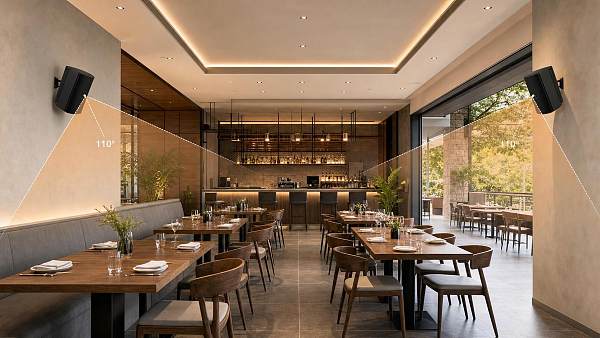
For a hotel, the priority might be clear wayfinding, discreet guest-room casting, flexible ballroom AV, background music zoning, and event-ready meeting spaces. A school may need classroom displays, speech reinforcement, lecture capture, paging integration, and accessible controls. A retailer may focus on digital signage, queue management, product storytelling, and sound that does not spill into adjacent tenants.
Those needs sound familiar, but they lead to very different infrastructure decisions. A lobby display can tolerate a short service interruption. A campus-wide paging system or a boardroom used for daily investor calls cannot. Treating every room as equally critical inflates costs and makes the system harder to support.
Map the Existing Conditions Before Promising a Scope
A practical site survey should produce more than photographs. It should identify known routes, blocked routes, access restrictions, likely asbestos-containing materials or other hazardous conditions requiring specialist review, ceiling access windows, electrical panel capacity, rack locations, and areas where work must occur outside trading or occupancy hours.
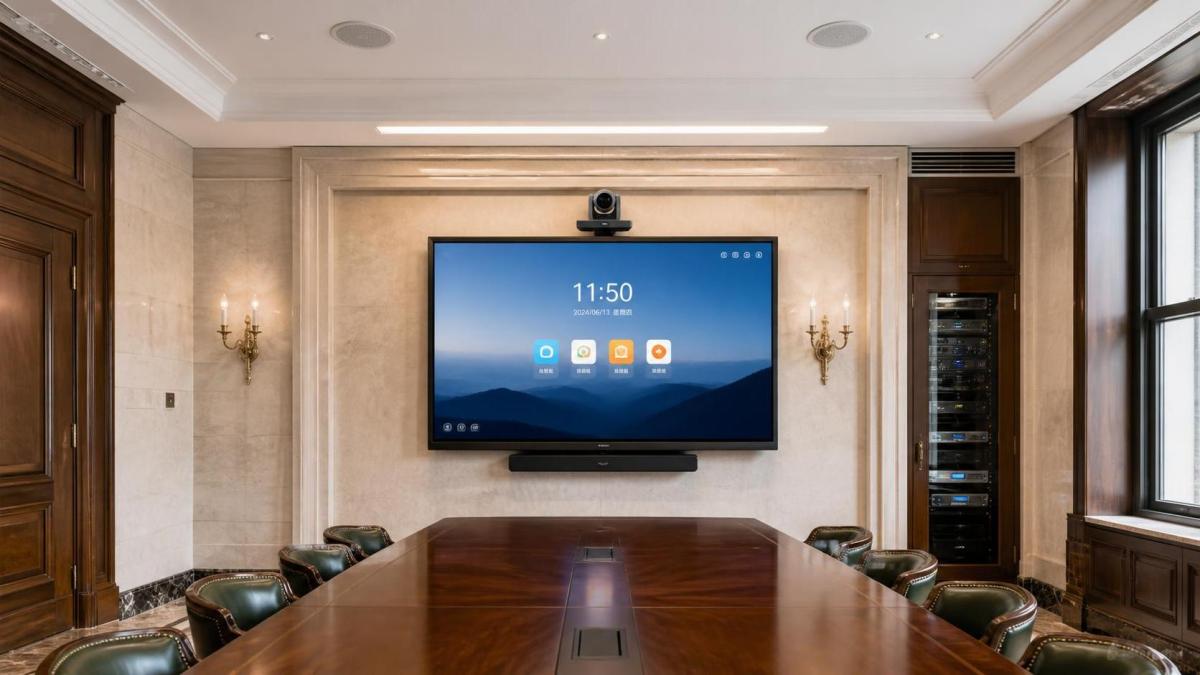
Historic or design-sensitive properties require another layer of care. Decorative plaster, stone facades, heritage timber, murals, and original metalwork should not become collateral damage in the name of modernization. In these cases, AV designers need to work closely with architects, preservation consultants, and building authorities where required. Small decisions matter: the position of a camera, the finish on a speaker grille, the visibility of a cable route, and the mounting method for a display can all affect approval.
Do not assume that “wireless” eliminates the need for access. Displays still need power. Ceiling-mounted access points, speakers, cameras, and projectors need secure mounting and maintenance access. Equipment still produces heat. Even a compact room controller may require a network connection, a back box, and coordination with finish trades.
Choose an Architecture That Can Be Serviced Later
Retrofitting is not just an installation exercise. Commercial owners inherit the support burden after the integrator leaves. A system that works on opening day but requires a specialist to reset it every week is not a successful system.
Keep the architecture understandable. Standardize equipment types where possible, document every cable and port, and avoid placing critical equipment in inaccessible ceiling voids. If multiple rooms need similar functions, use repeatable room templates rather than designing each one as a unique technical experiment.
Networked AV can be useful in older properties because it allows audio, video, control, and monitoring to travel across structured network infrastructure. Yet it must be designed with the IT team, not added after the fact. AV traffic may require separate network segments, bandwidth planning, power-over-Ethernet capacity, switch configuration, security controls, and clear responsibility for support. A display installer cannot make those decisions alone.
Scalability also deserves a realistic definition. It does not mean buying the most complex platform available. It means leaving sensible room for likely future changes: spare conduit where access is difficult, rack space for additional hardware, additional network ports, and a control platform that can accommodate another room or display zone without a full replacement.
Plan Around Operations, Not Just Construction Dates
Commercial buildings rarely become empty simply because an AV project is scheduled. Hotels continue receiving guests. Retailers need trading hours. Educational facilities have term schedules. Office tenants have meetings that cannot move. The installation plan should be tied to operational windows from the beginning.
Phased delivery is often the safest approach. Start with a pilot room, a small signage zone, or one floor. This lets the team test network performance, user behavior, acoustic results, and maintenance processes before the wider rollout. It also reveals practical issues that drawings cannot: a noisy air-handling unit near a microphone, unexpected glare on a lobby display, or a meeting room whose users need a simpler control interface.
For live venues and hospitality properties, temporary AV arrangements may be necessary during construction. That cost should be visible in the project budget. A renovation that blocks a ballroom for weeks without a replacement plan can affect bookings more than the AV hardware itself.
Commissioning should not be compressed into the final day. Every source, display, microphone, speaker zone, camera, control function, and network connection needs testing under normal operating conditions. For conferencing spaces, test real calls from the platforms the organization actually uses. For public audio, test intelligibility at realistic occupancy and background-noise levels. For signage, test content updates, permissions, and recovery after a network interruption.
Code Compliance and Safety Cannot Be an Afterthought
Older buildings may have grandfathered conditions, but new work can trigger current requirements. The specific rules depend on the jurisdiction, building type, and scope of work. Electrical safety, fire-rated penetrations, plenum-rated cabling, seismic restraint, accessibility, emergency communication, and egress clearances should be reviewed with qualified local professionals.
One frequently overlooked issue is the boundary between convenience AV and life-safety systems. Background music, meeting-room audio, and digital signage may coexist with emergency messaging, but they are not automatically suitable for emergency use. If the project includes fire alarm interfaces, mass notification, evacuation messaging, or other life-safety functions, the design must follow the applicable codes and be coordinated with the responsible life-safety contractor and authority having jurisdiction.
Accessibility is equally practical, not merely administrative. A touch controller mounted at the wrong height, a presentation workflow that depends on small on-screen text, or a room with poor speech intelligibility can exclude users. Include accessible operation in the brief before equipment is selected.
Where Retrofits Often Fail
The most common failure is underestimating the condition of existing infrastructure. A project team may assume it can reuse old conduits, only to find them full, damaged, or inaccessible. Another frequent problem is specifying equipment without checking sightlines, ambient light, acoustics, or furniture layout. A high-brightness display may be unnecessary in one lobby and inadequate in another. A premium microphone cannot overcome a room with severe reverberation and loud mechanical noise.
Budgeting only for hardware is another trap. The full cost can include surveys, design, permits, electrical work, network upgrades, architectural restoration, lift access, after-hours labor, commissioning, training, documentation, and ongoing support. Exact costs vary too widely by property and region to generalize responsibly, but owners should ask for these elements to be separated clearly in proposals.
There is also a tendency to overbuild. A small conference room does not always need complex automation, multiple cameras, and a custom control interface. Simpler systems are often more reliable. Reserve advanced capability for spaces where it changes the user experience or supports a measurable operational need.
A Sensible Retrofit Sequence
- Define outcomes. Identify what users need to do better: host hybrid meetings, guide visitors, support events, improve announcements, or create a stronger guest experience.
- Survey the site. Verify conditions in person, including pathways, power, network, structural support, acoustics, and access restrictions.
- Prioritize spaces. Separate mission-critical areas from desirable upgrades, then phase the work around operational risk.
- Develop a coordinated design. Bring AV, IT, electrical, architectural, facilities, and compliance stakeholders into the same review process.
- Install and commission in stages. Test representative spaces before scaling, then document the final system and train the people who will operate it.
Commercial sourcing research can be useful at the design and procurement stage, particularly for projects that combine hospitality, education, entertainment, professional audio, or premium retail requirements. Global Commercial Trade (GCT), for example, focuses on market and sourcing intelligence across commercial-experience sectors. That type of resource is most useful when it helps a project team compare supplier capability, compliance documentation, customization options, and long-term service support, rather than simply comparing product specifications.
When a Retrofit May Not Be the Right First Move
There are situations where an AV retrofit should pause until more fundamental work is resolved. If electrical capacity is unsafe or inadequate, if moisture intrusion threatens equipment, if the building has no viable network backbone, or if a planned major renovation will soon open walls and ceilings, a temporary solution may be wiser than a permanent installation.
Likewise, a property with strict preservation restrictions may need a more limited scope. It can still gain useful AV capability, but the design may need freestanding displays, portable event systems, carefully located wireless presentation tools, or concealed infrastructure installed only during approved restoration work.
Frequently Asked Questions
Can existing electrical wiring be used for new AV equipment?
Sometimes, but it must be assessed by qualified electrical professionals. AV equipment may need dedicated circuits, clean power, grounding, or power-over-Ethernet infrastructure that older installations do not provide.
Will wireless AV avoid the need to run cables?
It can reduce cabling for presentations and certain temporary uses. Permanent displays, cameras, access points, speakers, and reliable control systems still need power, mounting, and often wired network connections.
How can a retrofit avoid disrupting a hotel or occupied office?
Use phased work, after-hours installation where necessary, clear access plans, and pilot spaces. The operational schedule should be part of the technical design, not a last-minute contractor instruction.
Is it better to centralize all AV equipment in one rack?
Not always. Centralization can simplify management, but long cable routes and limited pathways may make it impractical in older buildings. Localized equipment can be more efficient when it remains accessible and well documented.
Can AV integration be retrofitted into older commercial buildings successfully? Yes, provided the project begins with verified building conditions and clear operational goals. The most durable upgrades are not the ones with the longest equipment list. They are the ones that protect the building, fit the way people use the space, meet applicable requirements, and remain maintainable long after installation.
Search News
Hot Articles
- Stationery & UniformsChoosing a Wholesale Chef Coat Supplier: MOQs, Samples, and Lead TimesOct 19, 2026
- Indoor PlaygroundTurnkey Playground Installation: What's Included and What Costs Extra?Oct 18, 2026
- Musical InstrumentsProfessional String Instruments: How to Evaluate Tone, Response, and ProjectionOct 17, 2026
Popular Tags
Need ExpertConsultation?
Connect with our specialized leisureengineering team for procurementstrategies.
Recommended News
 Oct 15, 2026Designing Theater Sound Systems for Clear Dialogue and Even Audience CoverageOptimize stage sound for theaters with practical tips on acoustics, speaker placement, and tuning. Discover how to deliver clear dialogue and consistent coverage across audience seating.● Pro Audio Engineer
 Oct 18, 2026How Much Does Studio Acoustic Treatment Cost per Square Meter?How much does studio acoustic treatment cost per square meter? Learn how to compare panel prices, installation fees, and complete budgets to choose the right treatment without overspending.● Pro Audio Engineer
 Oct 17, 2026How Do Line Array and Point Source Sound Systems Differ?What is the difference between line array and point source systems? Compare coverage, costs, and venue fit to find the right solution for clearer sound.● Pro Audio Engineer
 Oct 16, 2026Are Standard Acoustic Panels Enough for Performance Venues?Are standard acoustic panels enough for performance venues? Discover their limits, explore bass control and diffusion, and learn how to choose treatments that improve sound without wasting budget.● Pro Audio Engineer
 Sep 30, 2026How to Choose an Aluminum Projector Ceiling Mount for Load, Drop, and Ceiling TypeChoose an aluminum projector ceiling mount with confidence. Learn how load capacity, drop length, ceiling structure, safety retention, and service access shape a reliable commercial AV installation.● Pro Audio Engineer
 Sep 26, 2026How to Choose Dynamic Microphones for Vocals in Live Stage SettingsDynamic microphones for vocals: learn how to match polar patterns, feedback control, durability, and clarity to live stage needs for reliable, professional sound.● Pro Audio Engineer
 Sep 07, 2026How to Choose Wall Mount Speakers for Clear Audio in Commercial SpacesWall mount speakers for commercial spaces: learn how to optimize coverage, SPL, directivity, installation, and system design for clear, reliable audio.● Pro Audio Engineer
 Sep 03, 2026How to Choose Locking Speakon Speaker Cables for Reliable Live Sound ConnectionsLocking Speakon speaker cables: learn how to select the right gauge, connector pinout, strain relief, and durable construction for reliable live sound connections.● Pro Audio Engineer
 Sep 08, 2026Is It Worth Upgrading a Stage Sound System Mid-Project?Is it worth upgrading stage sound systems mid-project? Discover how to assess performance gaps, costs, compatibility, and long-term venue value.● Pro Audio Engineer
 Sep 04, 2026Can AV Systems Be Retrofitted Into Older Commercial Buildings?Can AV integration be retrofitted into older commercial buildings? Discover practical strategies for reliable, code-aware AV upgrades with minimal disruption.● Pro Audio Engineer
 Jul 17, 2026How to Choose a Crossover Networks Supplier: Key Specs, Quality Checks, and OEM FactorsFind the right crossover networks supplier with this practical guide to key specs, quality checks, OEM factors, and supply chain risks for better audio performance and sourcing confidence.● Pro Audio Engineer
 Jul 16, 2026How to Evaluate ODM Services for Pro Audio: Design, Certification, and Production CapabilitiesODM services for pro audio: learn how to assess design depth, certification readiness, and production strength to choose a reliable partner and launch better audio products with less risk.● Pro Audio Engineer
 Jul 15, 2026JETRO Flags Modular, Low-Power Shift in Pro Stage AudioPro Stage Audio buyers in Japan are shifting fast: JETRO flags modular amplifiers, IP65 line arrays, low standby power, and JIS compliance as key to channel entry.● Pro Audio Engineer
 Jul 15, 2026Paper Speaker Cones Explained: How Cone Weight and Stiffness Affect SoundPaper speaker cones explained: discover how cone weight and stiffness shape sensitivity, clarity, breakup control, and real-world speaker performance for smarter audio sourcing.● Pro Audio Engineer
 Jul 15, 2026Performance Venues Compliance Checklist: Fire Safety, Accessibility, and Crowd RulesPerformance venues compliance checklist covering fire safety, accessibility, and crowd rules. Learn how to reduce delays, improve approvals, and open safer, more resilient venues.● Pro Audio Engineer
 Jul 14, 2026Japan Adds EMC Immunity Test for Stage AmplifiersJapan Adds EMC Immunity Test for Stage Amplifiers: learn how Japan’s 2026 JIS update affects EMC testing, JIS marking, certification timing, and market access for exporters.● Pro Audio Engineer
 Jul 13, 2026CISCE 2026 Adds Pro Stage Audio ZoneCISCE 2026 Adds Pro Stage Audio Zone as free overseas pre-registration opens. Explore key updates for pro audio suppliers, distributors, and system integrators before the Shanghai expo.● Pro Audio Engineer
 Jul 12, 2026Japan Tightens Pro Stage Audio Efficiency Limits Under JIS C 8105-2026Japan Tightens Pro Stage Audio Efficiency Limits Under JIS C 8105-2026: learn how new PSE compliance rules reshape market access, product eligibility, and shipment planning in Japan.● Pro Audio Engineer
 Jul 12, 2026How to Choose Low Profile Ceiling Speakers for Hotels, Offices, and Retrofit ProjectsLow profile ceiling speakers for hotels, offices, and retrofit projects: learn how to compare depth, coverage, compliance, and installation factors to choose the right fit.● Pro Audio Engineer
 Jul 11, 2026Japan Tightens JIS C 8105-2026 for Pro AudioJapan Tightens JIS C 8105-2026 for Pro Audio: learn how stricter standby power, PSE diamond mark rules, and the 2026 deadline impact exports, compliance, and market access.● Pro Audio Engineer
 Jul 10, 2026JETRO Q2 Outlook Signals Higher Stage Audio DemandJETRO Q2 Outlook signals higher stage audio demand in Japan, with 37% procurement growth and stricter PSE Annex D compliance. See what importers, manufacturers, and rental channels must act on now.● Pro Audio Engineer
 Jul 10, 2026How to Choose Wall Mount Speakers for Restaurants by Layout, Coverage, and SPLWall mount speakers for restaurants should match layout, coverage, and SPL. Learn how to choose the right setup for even sound, guest comfort, and reliable performance.● Pro Audio Engineer
 Jul 09, 2026JIS T 9001:2026 Adds Mandatory AI Noise LabelsJIS T 9001:2026 adds mandatory AI noise labels for pro audio gear from October 2026. Learn how it impacts compliance, testing, exports, and product launches.● Pro Audio Engineer
 Jul 06, 2026Improving Sound Reinforcement Speech Clarity: Key Causes of Muddiness and How to Fix ThemSound reinforcement speech clarity starts with identifying reverberation, coverage, noise, and timing issues. Discover practical fixes that make announcements clearer and commercial spaces perform better.● Pro Audio Engineer