Audio Production for Streaming: How to Build a Dedicated Live Event Mix
A reliable live event stream needs its own audio mix, built from individual sources and monitored through the delivery path. Sending the front-of-house master directly to the encoder often leaves remote listeners with weak vocals, oversized playback, or little sense of the audience. The room mix compensates for sound already coming from the stage; the streaming mix must create the complete listening experience.
Effective audio production for streaming starts with three decisions: which sources the remote audience needs, how independently those sources can be controlled, and where the delivered signal will be monitored. Establish these before selecting equipment or finalizing the production schedule.
Define the listening experience before drawing the signal path
Translate the event format into audible requirements. A conference needs intelligible speech, consistent playback, and clean transitions between presenters. A concert requires a balanced musical picture, including instruments that sound loud acoustically but receive little reinforcement in the venue. A hybrid panel adds remote contributors, return feeds, and potential echo paths.
Document every source that must reach the stream: presentation computers, video playback, lectern microphones, wireless microphones, instruments, remote guests, and audience questions. Unamplified questions that sound understandable in the room will disappear online unless a microphone captures them. Room microphones rarely provide sufficient clarity for distant speech.
Define the output requirements with the video and distribution teams. Confirm the accepted channel layout, audio format, loudness specification, peak ceiling, and synchronization method. Establish whether captions, interpretation, isolated recordings, or later editing require separate feeds. These requirements affect routing capacity and recording design before equipment arrives.
Choose how much independence the streaming mix needs
A separate auxiliary bus on the house console is a workable starting point for straightforward speech events. It provides independent source balances without requiring another desk. However, the actual independence depends on where the bus takes its signal. A pre-fader send can still follow shared input gain, equalization, dynamics, or channel mute settings. Confirm the console’s signal flow rather than assuming “pre-fader” means fully independent.
For a separate console, define how signals are split and who controls analog gain. An analog microphone split requires a clear phantom-power arrangement. A digital split requires compatible transport, clocking, and explicit head-amp ownership. Gain compensation, where supported, helps manage shared preamp changes, but it does not recover audio clipped before the split.
A separate mix also needs someone available to operate it. During a performance, room feedback, stage requests, playback cues, and remote balance adjustments compete for attention. Assigning every task to the same position creates an operational limit that additional console features will not remove.
Capture sources the room mix can afford to miss
Microphone coverage determines what the streaming mix can achieve. A guitar amplifier or drum kit might dominate the room while receiving minimal reinforcement. Without suitable microphones or direct feeds, the stream cannot reproduce those sources properly. Build the input list around the complete performance rather than copying only the inputs needed for the loudspeakers.
Speech clarity begins with microphone placement. Keep the microphone close enough to favor the voice over room reflections, while accounting for head movement and speaking technique. A lectern microphone aimed away from the presenter cannot be repaired with high-frequency boost. Excessive equalization often makes spill and noise more obvious.
Audience microphones provide applause, reactions, and a sense of space. Place them to capture people while limiting direct pickup from the main loudspeakers. Their delayed pickup of amplified speech can blur the close microphones when mixed too loudly. Raise ambience around applause and transitions, then reduce it beneath detailed speech.
For music, listen to the combined close and ambient microphones before adding processing. Time differences can produce hollow tone or unstable stereo placement. Polarity reversal is useful for diagnosing some relationships, but it does not correct every timing problem. Align selected sources only after listening; preserving some room delay can support a natural sense of distance.
Build routing that survives ordinary show changes
Create a routing sheet showing each source, its destination, processing ownership, and mute behavior. Include less visible paths such as playback returns, communications, recording feeds, and remote guest returns. Label console outputs and receiving inputs consistently so that an engineer can trace the stream without reconstructing the system during a fault.
Separate useful source groups such as speech, music, playback, and ambience. These groups allow broad adjustments during transitions without disturbing individual balances. Keep the final stream bus available for overall control and metering. Avoid routing sources through several overlapping paths, which can create accidental doubling or delayed copies.
Remote contributors require a mix-minus return: a feed containing the program elements they need while excluding their own returned voice. Sending the complete program back to a guest creates an echo path. Build and audition each return separately, including any interpretation or playback needed for the conversation. Echo cancellation does not replace correct routing.
Also identify microphones that must remain private. Backstage talkback, production communications, and rehearsal discussion should have explicit routing boundaries. Test scene recalls and mute groups to confirm they do not unexpectedly open these sources or interrupt an active streaming channel.
Balance speech, music, and loudness as separate problems
Set input gain during a rehearsal that includes realistic speaking and performance levels. Leave headroom for unexpected emphasis and musical peaks. Turning down the stream master cannot repair distortion introduced at a microphone preamp, wireless receiver, playback interface, or converter.
For speech, use high-pass filtering to reduce unwanted low-frequency energy without thinning the voice. Apply equalization to address audible problems, then use moderate compression to control level variation. Aggressive compression raises room noise between phrases and can make an already reverberant microphone sound more distant. Gates that close too quickly cut off quiet words; gentle expansion or attentive fader control is often more transparent.
Music needs different treatment. Preserve enough transient detail and dynamic movement to avoid a flat, tiring result. Where speech overlaps music, lower the music group deliberately or use carefully tuned ducking. An announcement must remain understandable through its first words, so test the transition rather than judging only the settled balance.
Loudness and peak level describe different constraints. A meter showing safe peaks does not prove that speech will sound consistently loud. Measure program loudness and true peaks at the final output, then apply the destination’s documented requirements. Do not assume one loudness target fits every distribution service or delivery contract.
Use a final limiter to contain occasional peaks while leaving headroom for encoding behavior. Continuous heavy limiting usually points to an upstream balance or dynamics problem. Confirm whether the encoder adds gain control, normalization, or other processing; stacked automatic processing can produce audible pumping and unpredictable changes between speech and music.
Monitor what the remote audience actually receives
Make critical mix decisions away from the main loudspeaker field. In-room spill can make a thin stream seem full and disguise missing instruments. A quiet monitoring position with suitable headphones or monitors provides a more trustworthy reference. Include ordinary earbuds or a small speaker during rehearsal to expose speech that relies too heavily on bass or stereo separation.
Maintain two distinct monitoring points: the signal entering the encoder and the return from the published stream. The first supports immediate mixing; the second reveals encoding, channel mapping, delivery, and synchronization faults. Because the published return is delayed, keep it out of the live mix and all contributor returns.
Test mono compatibility. Wide panning, polarity errors, or stereo enhancement can cause important material to weaken when channels are combined. Confirm that speech remains centered and that stereo playback enters the system correctly. A missing channel is especially easy to overlook when only one side of a headphone feed is being monitored.
Measure audio-to-video alignment using a visible, audible reference through the actual video and encoding chain. Video processing frequently adds delay, but the correction must follow the measured result. If audio arrives early, delay it at a controlled point. Repeat the test after changing camera processing, conversion equipment, or routing.
Specify equipment by the work it must support
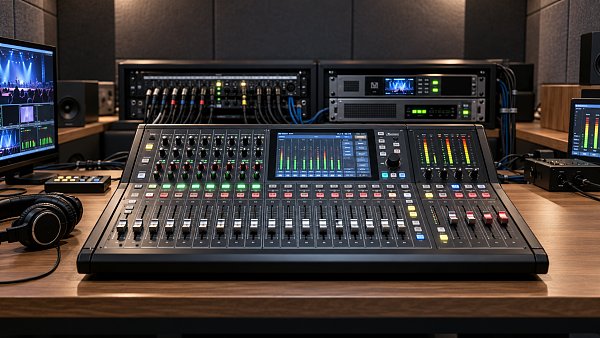
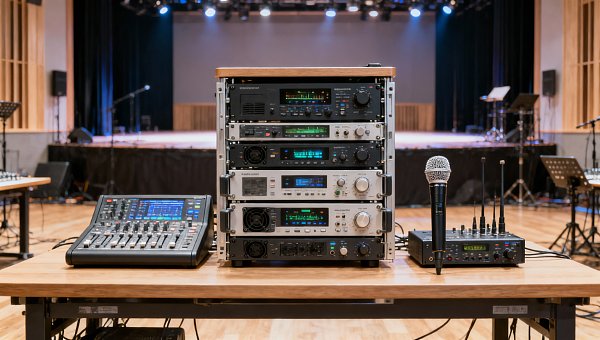
Console selection should account for input channels, usable buses, independent processing, delay facilities, recording outputs, and monitoring access. Count remote returns and audience microphones alongside stage inputs. A desk with enough physical sockets can still lack the buses needed for the stream, interpretation, and mix-minus feeds.
For digital audio transport, document sample-rate compatibility, clock leadership, network configuration, and the behavior expected after a device reconnects. Confirm that interfaces and the encoder agree on channel assignments and audio format. Unplanned conversion or synchronization problems can appear as clicks, dropouts, or drift that becomes evident only during a longer rehearsal.
Define backup coverage around specific failures. A spare encoder does not preserve audio if both encoders depend on a failed console output. Record isolated sources when later repair is required, and capture the final program feed to document the live mix. Recordings support diagnosis and editing; they do not provide live continuity unless a recovery path is configured.
Rehearse transitions and prove the recovery path
A useful rehearsal follows the event sequence, including walk-on music, microphone handovers, video playback, remote connections, audience questions, and closing cues. Continuous speech alone will not reveal a playback return routed twice or an ambience group that stays open during a remote interview.
- Run representative loud and quiet material through the complete delivery chain, confirming intelligibility, loudness behavior, channel mapping, and lip synchronization.
- During a controlled rehearsal, interrupt a relevant source or connection and demonstrate the agreed recovery route. Record any manual patching and the interruption it causes.
- Recall the intended show scenes while audio is active. Observe shared gain, mutes, processing, and remote returns for unintended changes.
- Listen to the published stream on a separate connection and review a recording of the transitions, where routing faults and abrupt level changes are easiest to hear.
Before handover, save the console configuration, routing diagram, encoder settings, and recovery instructions in an accessible location. Identify who can authorize shared gain changes and who monitors the delivered stream throughout the event. The operating record should make the next action clear when a microphone fails, a remote guest reconnects, or the program moves unexpectedly to playback.
Search News
Hot Articles
- Pro Stage AudioAudio Production for Streaming: How to Build a Dedicated Live Event MixOct 22, 2026
- Outdoor RidesIAAPA Launches Insurance Solution for North American Attractions IndustryOct 21, 2026
- Watch OEM & SmartwatchesWatch Movement Parts: How to Check Compatibility With a Specific CaliberOct 21, 2026
Popular Tags
Need ExpertConsultation?
Connect with our specialized leisureengineering team for procurementstrategies.
Recommended News
 Oct 22, 2026Audio Production for Streaming: How to Build a Dedicated Live Event MixMaster audio production for streaming with a dedicated live event mix. Learn routing, loudness control, and monitoring techniques to deliver clear, balanced sound your online audience will love.● Pro Audio Engineer
 Oct 15, 2026Designing Theater Sound Systems for Clear Dialogue and Even Audience CoverageOptimize stage sound for theaters with practical tips on acoustics, speaker placement, and tuning. Discover how to deliver clear dialogue and consistent coverage across audience seating.● Pro Audio Engineer
 Oct 22, 2026Which Professional Sound System Specs Matter Most for Live Venues?Discover what professional sound system specs matter most for live venues. Compare SPL, coverage, frequency response, and headroom to choose a PA that delivers clear, powerful sound.● Pro Audio Engineer
 Oct 20, 2026Should You Prioritize Stage Sound or Audience Coverage?Should I prioritize stage sound or audience coverage first? Discover how to balance clear audience audio, reliable monitoring, and smarter sound-system upgrades for your venue.● Pro Audio Engineer
 Oct 18, 2026How Much Does Studio Acoustic Treatment Cost per Square Meter?How much does studio acoustic treatment cost per square meter? Learn how to compare panel prices, installation fees, and complete budgets to choose the right treatment without overspending.● Pro Audio Engineer
 Oct 17, 2026How Do Line Array and Point Source Sound Systems Differ?What is the difference between line array and point source systems? Compare coverage, costs, and venue fit to find the right solution for clearer sound.● Pro Audio Engineer
 Oct 16, 2026Are Standard Acoustic Panels Enough for Performance Venues?Are standard acoustic panels enough for performance venues? Discover their limits, explore bass control and diffusion, and learn how to choose treatments that improve sound without wasting budget.● Pro Audio Engineer
 Sep 30, 2026How to Choose an Aluminum Projector Ceiling Mount for Load, Drop, and Ceiling TypeChoose an aluminum projector ceiling mount with confidence. Learn how load capacity, drop length, ceiling structure, safety retention, and service access shape a reliable commercial AV installation.● Pro Audio Engineer
 Sep 26, 2026How to Choose Dynamic Microphones for Vocals in Live Stage SettingsDynamic microphones for vocals: learn how to match polar patterns, feedback control, durability, and clarity to live stage needs for reliable, professional sound.● Pro Audio Engineer
 Sep 07, 2026How to Choose Wall Mount Speakers for Clear Audio in Commercial SpacesWall mount speakers for commercial spaces: learn how to optimize coverage, SPL, directivity, installation, and system design for clear, reliable audio.● Pro Audio Engineer
 Sep 03, 2026How to Choose Locking Speakon Speaker Cables for Reliable Live Sound ConnectionsLocking Speakon speaker cables: learn how to select the right gauge, connector pinout, strain relief, and durable construction for reliable live sound connections.● Pro Audio Engineer
 Sep 08, 2026Is It Worth Upgrading a Stage Sound System Mid-Project?Is it worth upgrading stage sound systems mid-project? Discover how to assess performance gaps, costs, compatibility, and long-term venue value.● Pro Audio Engineer
 Sep 04, 2026Can AV Systems Be Retrofitted Into Older Commercial Buildings?Can AV integration be retrofitted into older commercial buildings? Discover practical strategies for reliable, code-aware AV upgrades with minimal disruption.● Pro Audio Engineer
 Jul 17, 2026How to Choose a Crossover Networks Supplier: Key Specs, Quality Checks, and OEM FactorsFind the right crossover networks supplier with this practical guide to key specs, quality checks, OEM factors, and supply chain risks for better audio performance and sourcing confidence.● Pro Audio Engineer
 Jul 16, 2026How to Evaluate ODM Services for Pro Audio: Design, Certification, and Production CapabilitiesODM services for pro audio: learn how to assess design depth, certification readiness, and production strength to choose a reliable partner and launch better audio products with less risk.● Pro Audio Engineer
 Jul 15, 2026JETRO Flags Modular, Low-Power Shift in Pro Stage AudioPro Stage Audio buyers in Japan are shifting fast: JETRO flags modular amplifiers, IP65 line arrays, low standby power, and JIS compliance as key to channel entry.● Pro Audio Engineer
 Jul 15, 2026Paper Speaker Cones Explained: How Cone Weight and Stiffness Affect SoundPaper speaker cones explained: discover how cone weight and stiffness shape sensitivity, clarity, breakup control, and real-world speaker performance for smarter audio sourcing.● Pro Audio Engineer
 Jul 15, 2026Performance Venues Compliance Checklist: Fire Safety, Accessibility, and Crowd RulesPerformance venues compliance checklist covering fire safety, accessibility, and crowd rules. Learn how to reduce delays, improve approvals, and open safer, more resilient venues.● Pro Audio Engineer
 Jul 14, 2026Japan Adds EMC Immunity Test for Stage AmplifiersJapan Adds EMC Immunity Test for Stage Amplifiers: learn how Japan’s 2026 JIS update affects EMC testing, JIS marking, certification timing, and market access for exporters.● Pro Audio Engineer
 Jul 13, 2026CISCE 2026 Adds Pro Stage Audio ZoneCISCE 2026 Adds Pro Stage Audio Zone as free overseas pre-registration opens. Explore key updates for pro audio suppliers, distributors, and system integrators before the Shanghai expo.● Pro Audio Engineer
 Jul 12, 2026Japan Tightens Pro Stage Audio Efficiency Limits Under JIS C 8105-2026Japan Tightens Pro Stage Audio Efficiency Limits Under JIS C 8105-2026: learn how new PSE compliance rules reshape market access, product eligibility, and shipment planning in Japan.● Pro Audio Engineer
 Jul 12, 2026How to Choose Low Profile Ceiling Speakers for Hotels, Offices, and Retrofit ProjectsLow profile ceiling speakers for hotels, offices, and retrofit projects: learn how to compare depth, coverage, compliance, and installation factors to choose the right fit.● Pro Audio Engineer
 Jul 11, 2026Japan Tightens JIS C 8105-2026 for Pro AudioJapan Tightens JIS C 8105-2026 for Pro Audio: learn how stricter standby power, PSE diamond mark rules, and the 2026 deadline impact exports, compliance, and market access.● Pro Audio Engineer
 Jul 10, 2026JETRO Q2 Outlook Signals Higher Stage Audio DemandJETRO Q2 Outlook signals higher stage audio demand in Japan, with 37% procurement growth and stricter PSE Annex D compliance. See what importers, manufacturers, and rental channels must act on now.● Pro Audio Engineer