Modular Office Workstations: Layout Options for Fit-Out and Expansion Projects
Modular Office Workstations: Layout Options for Fit-Out and Expansion Projects
Modular office workstations help fit-out and expansion projects balance space efficiency, comfort, cost control, and future scalability.
The right layout can shorten installation, support changing team structures, and reduce disruption when commercial workplaces evolve.
From benching systems to focus pods, modular office workstations connect design intent with compliance, budget, and operational flexibility.
Why a Checklist Matters Before Selecting Modular Office Workstations
Workstation planning affects circulation, acoustic comfort, technology access, cleaning routines, and emergency routes.
A checklist prevents design decisions from depending only on visual preference or short-term seat count.
For expansion projects, modular office workstations also protect future options when headcount, departments, or hybrid schedules change.
A structured review helps compare workstation types, supplier capabilities, lead times, cabling strategy, and after-sales support.
Core Checklist for Modular Office Workstations
- Define the work modes first, then match modular office workstations to focused tasks, calls, collaboration, storage, and shared touchdown use.
- Map circulation routes early, ensuring workstation clusters do not block exits, service corridors, pantry access, or maintenance paths.
- Calculate realistic seat density using desk size, chair movement, screen distance, aisle clearance, and local workplace standards.
- Select panel heights based on privacy needs, daylight access, supervision requirements, and acoustic separation between teams.
- Plan power and data distribution with floor boxes, cable trays, under-desk routes, and accessible maintenance points.
- Check ergonomic compatibility, including monitor arms, sit-stand options, keyboard clearance, task lighting, and adjustable seating.
- Specify durable finishes for high-touch surfaces, especially in shared offices, education facilities, call centers, and flexible work zones.
- Verify that modular office workstations can be reconfigured without replacing entire frames, screens, legs, or cable components.
- Confirm supplier documentation, including drawings, load ratings, material certificates, warranty terms, and installation manuals.
- Phase installation by floor, department, or zone to reduce business interruption and simplify defect inspection.
Layout Option 1: Open-Plan Benching
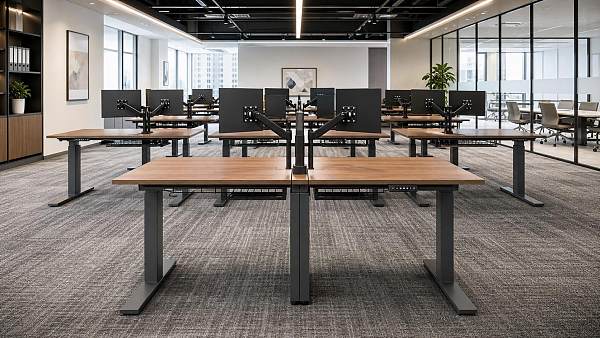
Benching is efficient when teams need visual connection, fast communication, and high seat density.
This layout uses shared frames, continuous worktops, and central cable management to reduce material duplication.
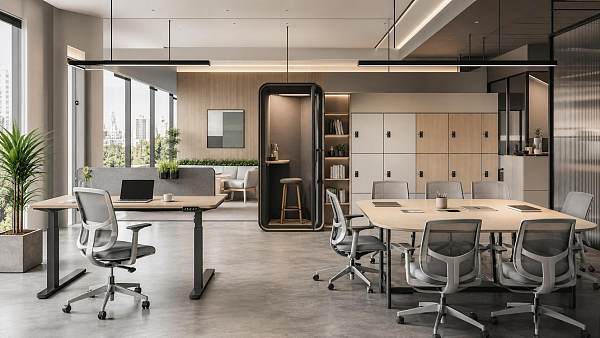
Modular office workstations in benching layouts suit technology teams, support centers, training offices, and temporary expansion floors.
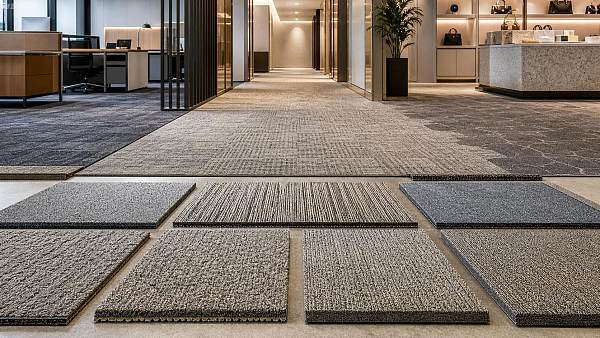
However, acoustic planning is essential. Add desktop screens, ceiling absorption, carpet tiles, and nearby phone rooms.
Best Use Cases
- Use benching where teams share project information frequently and privacy needs remain moderate.
- Reserve perimeter zones for quiet work, lockers, printers, and meeting rooms to balance open-plan intensity.
- Choose modular office workstations with movable screens, so density can change without replacing main structures.
Layout Option 2: Clustered Team Pods
Clustered pods group four, six, or eight desks around shared storage, whiteboards, or collaboration tables.
They provide team identity while keeping floor plans flexible for future departmental changes.
For commercial fit-outs, modular office workstations in pods create clearer neighborhoods than long rows of desks.
Pods work well when departments need frequent internal coordination but limited cross-floor interruption.
Planning Notes
- Position storage at pod edges to buffer noise and define boundaries without constructing fixed partitions.
- Align pod orientation with daylight, HVAC diffusers, sprinklers, and ceiling grids before finalizing drawings.
- Standardize components so modular office workstations can move between pods during expansion or departmental reshuffling.
Layout Option 3: Linear Workstation Runs
Linear runs are useful for narrow floor plates, back-office areas, and spaces along windows or walls.
This approach simplifies cable routing and creates predictable walking paths for cleaning and maintenance.
Modular office workstations arranged in straight runs can support finance, administration, documentation, and operations teams.
The main risk is monotony. Break long runs with plants, storage towers, focus booths, or small meeting points.
Layout Option 4: Hybrid Collaboration Zones
Hybrid workplaces often need fewer assigned desks and more varied settings for meetings, calls, and individual concentration.
In this model, modular office workstations combine with hot desks, lounge tables, acoustic rooms, and digital booking systems.
The layout should make transitions easy. People need nearby storage, charging points, displays, and clear wayfinding.
Use occupancy data to adjust ratios between fixed workstations, shared desks, meeting seats, and quiet zones.
Checklist for Hybrid Settings
- Track peak attendance before reducing assigned seating, because weekly averages often hide midweek congestion.
- Provide lockable storage so shared modular office workstations remain uncluttered and usable throughout the day.
- Place collaboration zones away from intensive focus areas to prevent constant background noise.
Layout Option 5: Semi-Private Focus Workstations
Semi-private layouts use higher screens, return panels, or compact enclosure elements to increase concentration.
They are suitable for legal review, design work, sales calls, finance processing, and confidential administration.
Modular office workstations in focus settings should still avoid creating isolated, unsafe, or visually heavy environments.
Balance privacy with access to daylight, ventilation, managerial visibility, and emergency response requirements.
Scenario Guide for Fit-Out and Expansion Projects
New Headquarters Fit-Out
A new headquarters usually needs brand consistency, visitor impact, and long-term space adaptability.
Specify modular office workstations with coordinated finishes, integrated power, durable panels, and standardized spare parts.
Phased Office Expansion
Expansion projects require layouts that can grow without disrupting occupied areas.
Keep workstation modules repeatable, procurement records clear, and cable routes accessible for later installation stages.
Shared Campus or Education Office
Campus environments often combine administration, faculty work, training, and student support functions.
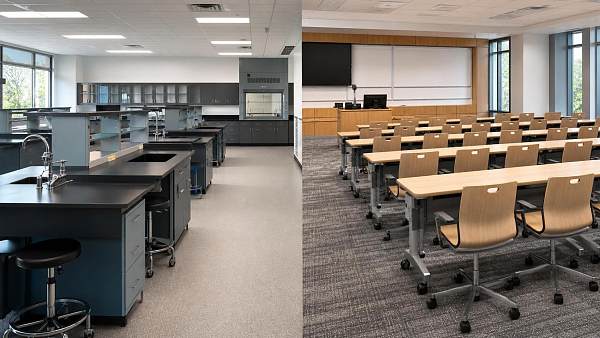
Modular office workstations should withstand heavy use, frequent reallocation, and mixed daily occupancy patterns.
Hospitality and Retail Back Office
Hotels, restaurants, and specialty retail spaces often need compact, functional back-office planning.
Use compact modular office workstations with secure storage, easy-clean surfaces, and reliable cable management.
Common Overlooked Risks
Underestimating acoustic pressure: Dense layouts can increase fatigue when panels, ceiling treatment, and meeting spaces are insufficient.
Ignoring cable access: Beautiful layouts fail when technicians cannot reach power modules, data ports, or under-desk trays.
Overlooking future procurement: Modular office workstations lose value when replacement screens, brackets, or connectors become unavailable.
Choosing weak finishes: Low-grade surfaces scratch quickly in shared environments, making new offices look worn too soon.
Compressing clearances: Narrow aisles create discomfort, cleaning challenges, delivery problems, and possible compliance issues.
Skipping mock-up reviews: Drawings cannot fully show chair movement, screen height, monitor placement, or real cable reach.
Practical Execution Recommendations
- Build a sample workstation before bulk approval, then test chair clearance, monitor position, lighting, and cable access.
- Request layout drawings showing dimensions, power points, storage, circulation, emergency exits, and phased installation zones.
- Compare modular office workstations by lifecycle cost, not only unit price, because reconfiguration savings often appear later.
- Coordinate furniture delivery with flooring, ceiling, IT, fire systems, and final cleaning to avoid site congestion.
- Keep a component schedule listing worktops, frames, screens, connectors, cable trays, accessories, and spare parts.
- Document post-occupancy feedback after thirty, sixty, and ninety days, then adjust shared zones and workstation settings.
Sourcing Considerations for Reliable Workstation Programs
Workstation sourcing should combine design review, supplier capability assessment, and project delivery control.
Look for manufacturers that provide shop drawings, finish samples, installation guidance, and consistent quality inspection.
For international projects, confirm packaging strength, export documentation, lead times, and local assembly support.
Modular office workstations should arrive as a managed system, not disconnected furniture pieces from mismatched sources.
Summary and Next Steps
Modular office workstations give commercial spaces a practical foundation for efficient fit-outs and controlled expansion.
The best layout depends on work modes, density targets, acoustic needs, technology access, and future reconfiguration plans.
Start with a clear checklist, test a sample, validate supplier documentation, and phase installation around business continuity.
With disciplined planning, modular office workstations can support today’s teams while keeping tomorrow’s workplace options open.
Search News
Hot Articles
- Pro Stage AudioDesigning Theater Sound Systems for Clear Dialogue and Even Audience CoverageOct 15, 2026
- Musical InstrumentsHow Do You Choose Music Education Equipment for a New Campus?Oct 15, 2026
- Arcade & VR MachinesChoosing a Racing Simulator Cockpit for an FEC: Durability and Guest FitOct 14, 2026
Popular Tags
Need ExpertConsultation?
Connect with our specialized leisureengineering team for procurementstrategies.
Recommended News
 Oct 13, 2026Choosing Commercial Air Conditioners for Offices: Capacity, Zoning, and NoiseChoosing commercial air conditioners for offices? Compare capacity, zoning, and noise to improve comfort, avoid costly mistakes, and find the right system for your workplace.● Institutional Buyer
 Sep 02, 2026How to Choose a Glass Acoustic Office Pod for Open-Plan Workplace PrivacyGlass acoustic pod office buying guide: compare privacy, ventilation, safety glass, power, site fit, and supplier support to choose a productive open-plan workspace solution.● Institutional Buyer
 Sep 01, 2026Is CE Marking Enough for Commercial Products Sold in the US?Is CE marking enough for commercial products sold in the US? Learn the key US safety, FCC, listing, and inspection requirements before you buy.● Institutional Buyer
 Sep 04, 2026B2B Office Supplies Procurement: Building a Cost-Controlled Replenishment ProgramB2B office supplies procurement made smarter: build a cost-controlled replenishment program that reduces spend, prevents stockouts, and improves supplier performance.● Institutional Buyer
 Aug 26, 2026How to Choose Automatic Office Coffee Machines for Team Size, Usage, and MaintenanceAutomatic office coffee machines: learn how to choose the right model for team size, daily demand, drink preferences, and maintenance needs to reduce downtime and improve workplace satisfaction.● Institutional Buyer
 Aug 13, 2026What to Look for When Choosing a Wood Executive Office Desk for Daily UseWood executive office desks should do more than look premium. Learn how to compare durability, ergonomics, cable management, and finish quality before you buy.● Institutional Buyer
 Jul 31, 2026How to Choose Institutional Storage Furniture for Schools, Offices, and Public FacilitiesInstitutional storage furniture buying guide for schools, offices, and public facilities—learn how to assess safety, durability, cleaning, locks, and lifecycle cost before you buy.● Institutional Buyer
 Jul 14, 2026Commercial Carpet Tile Price Guide: Cost Factors, Wear Ratings, and Installation ScopeCommercial carpet tile price explained: compare cost factors, wear ratings, and installation scope to choose durable, budget-smart flooring for offices, schools, hotels, and retail.● Institutional Buyer
 Jul 11, 2026How to Compare Motorized, Fixed Frame, and Portable Wholesale Projector ScreensWholesale projector screens compared: discover how motorized, fixed frame, and portable options differ in image quality, flexibility, and sourcing value for commercial projects.● Institutional Buyer
 Jul 10, 2026Desktop Hole Punches Wholesale: What Buyers Should Check Before Placing a Bulk OrderDesktop hole punches wholesale buyers should check quality, accuracy, compliance, total cost, and supplier reliability before placing a bulk order. Read the key checkpoints now.● Institutional Buyer
 Jul 09, 2026Library Bookshelves Wholesale Buying Guide: Materials, Load Capacity, and Layout CostsLibrary bookshelves wholesale guide covering materials, load capacity, and layout costs. Compare options, reduce procurement risk, and choose durable shelving for long-term value.● Institutional Buyer
 Jul 08, 2026Height Adjustable Desks Bulk: Key Specs to Compare for Office Fit-Out ProjectsHeight adjustable desks bulk: compare load, range, stability, noise, compliance, and rollout factors to choose reliable desks for office fit-out projects with less risk.● Institutional Buyer
 Jul 06, 2026FBX Drops 18% as Asia-Europe Furniture Rates FallFBX drops 18% as Asia-Europe furniture rates fall to $1,186/FEU, reshaping office furniture import margins, restocking timing, and shipping plans. See what buyers and exporters should do next.● Institutional Buyer
 Jul 06, 2026Training Chairs With Writing Tablet: What to Check for Classroom Layout and DurabilityTraining chairs with writing tablet: learn how to compare classroom layout, tablet size, frame durability, and maintenance needs to choose smarter, longer-lasting seating.● Institutional Buyer
 Jul 05, 2026Indonesia Tightens Wood Proof for Office Furniture ImportsIndonesia tightens wood proof for office furniture imports from July 3, 2026. Learn FLEGT, certification, customs risks, and how exporters can avoid delays and extra fees.● Institutional Buyer
 Jul 04, 2026How to Choose Educational Furniture for Schools by Age Group, Layout, and DurabilityEducational furniture for schools should match age groups, room layouts, and durability needs. Discover practical buying tips to improve safety, flexibility, and long-term value.● Institutional Buyer
 Jul 03, 2026Europe 40HQ Rates Climb to $6,920 for Large Furniture ShipmentsEurope 40HQ rates climb to $6,920, reshaping large furniture shipments with 9–12 week delays and higher consolidation costs. See what exporters and buyers should do now.● Institutional Buyer
 Jul 03, 2026Adjustable Library Shelves: Load Capacity, Material, and Layout Tips for Smarter Space PlanningAdjustable library shelves: learn how to compare load capacity, materials, and layout options to create safer, more flexible spaces with lower long-term costs.● Institutional Buyer
 Jul 02, 2026Vietnam Tightens Proof Rules for Wood Office FurnitureVietnam tightens proof rules for wood office furniture from July 1, 2026. Learn how FSC-CoC, VPA-FLEGT, and customs delays could impact exporters, sourcing, and delivery plans.● Institutional Buyer
 Jun 29, 2026Workspace Furniture for Offices: What to Compare Before Planning a Hybrid LayoutWorkspace furniture for offices should be compared by flexibility, comfort, space efficiency, and procurement value before planning a hybrid layout. Learn what to review for smarter office decisions.● Institutional Buyer
 Jun 28, 2026How to Evaluate an Institutional Furniture Manufacturer for Schools, Hospitals, and Public SpacesInstitutional furniture manufacturer evaluation guide for schools, hospitals, and public spaces. Learn how to compare compliance, durability, customization, and supply reliability.● Institutional Buyer
 Jun 23, 2026Educational Furniture for Universities: What to Compare Before Buying for Labs and Lecture RoomsEducational furniture for universities: compare lab and lecture room safety, durability, flexibility, and lifecycle cost before buying. Make smarter campus sourcing decisions.● Institutional Buyer
 Jun 22, 2026How to Choose Educational Furniture for Libraries by Age Group, Layout, and UseEducational furniture for libraries should match age groups, layout, and daily use. Discover practical tips to choose safer, flexible, durable solutions that improve learning spaces.● Institutional Buyer
 Jun 18, 2026Wholesale Projector Screens: How to Choose Size, Gain, and Mounting for Each SpaceWholesale projector screens guide: learn how to choose the right size, gain, and mounting for classrooms, boardrooms, hotels, and event spaces for clearer images and smarter sourcing.● Institutional Buyer