What should you compare before choosing broadcast consoles?
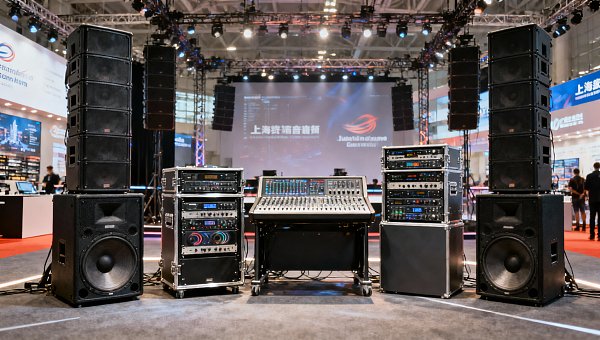
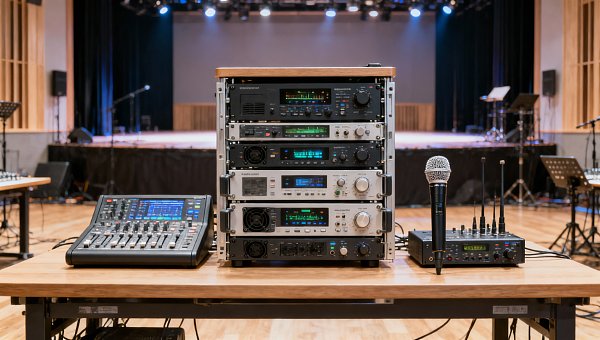
Choosing broadcast consoles for a commercial studio, campus media room, or hospitality venue involves more than comparing price tags. Buyers should assess signal routing, operator workflow, durability, expansion potential, support quality, and lifecycle cost. A careful review reduces installation risk and helps broadcast consoles deliver stable performance under daily production pressure.
Why a checklist matters before selecting broadcast consoles
Broadcast consoles sit at the center of live production, recording, paging, streaming, and content distribution. One weak decision can affect audio quality, staff efficiency, maintenance cost, and integration with the wider AV system.
A checklist prevents decisions based only on channel count or headline price. It makes comparison easier across brands, analog and digital models, compact desks, and large-format broadcast consoles designed for 24/7 professional use.
This matters in cross-industry environments. Hospitality venues, education facilities, entertainment sites, and corporate production spaces often need reliable broadcast consoles that support mixed-use workflows and future upgrades.
Core checklist: what should you compare before choosing broadcast consoles?
- Define the signal flow first. Map microphones, playback devices, remote feeds, intercom, streaming outputs, and monitoring paths before comparing broadcast consoles by size or brand reputation.
- Check input and output capacity carefully. Count current sources, reserve spare channels, and verify whether the console supports analog, AES/EBU, Dante, MADI, USB, or AoIP connectivity.
- Compare routing flexibility. Review buses, mix-minus options, direct outs, matrix functions, and scene recall to confirm the desk can handle interviews, live switching, and multi-room distribution.
- Test operator workflow. Look at fader layout, monitor control, custom buttons, touchscreen response, and labeling options because fast operation matters more than long feature lists.
- Review audio quality specifications. Compare preamp noise, headroom, converter performance, internal processing, and clock stability if the application includes premium speech, music, or hybrid broadcast use.
- Inspect build quality and serviceability. Examine chassis materials, fader durability, power supply design, ventilation, and access to replacement parts for long-term broadcast consoles ownership.
- Verify system compatibility. Confirm the console can work with automation software, intercom systems, playout platforms, loudness tools, stage boxes, and installed AV control infrastructure.
- Evaluate redundancy and failover. Compare dual power supplies, mirrored engines, backup networking, and emergency bypass options for environments where downtime is unacceptable.
- Assess expansion potential. Check whether broadcast consoles allow future I/O cards, remote surfaces, extra DSP, software licenses, or multi-studio networking without replacing the core platform.
- Measure training and support value. Compare documentation, onboarding resources, firmware history, technical response times, and regional service coverage before making a final decision.
- Calculate total cost of ownership. Include installation, interface cards, software options, maintenance, operator training, and downtime exposure instead of comparing purchase price alone.
Compare architecture, not just features
Many broadcast consoles appear similar on a datasheet. The bigger difference often lies in system architecture. A modular platform may cost more initially, yet save money when requirements expand.
Integrated fixed-frame models can still be the right choice for smaller rooms. The better option depends on whether the space needs simple daily operation or complex multi-source production.
How comparison points change by application
Commercial studios and content production rooms
Studios usually need detailed routing, clean preamps, fast scene recall, and reliable monitoring. In these rooms, broadcast consoles should also support guest feeds, phone hybrids, streaming, and post-production handoff.
Low noise and intuitive control are especially important when operators switch quickly between talk programs, music beds, and remote contributors. Extra layers are useful only if they remain easy to navigate.
Campus media rooms and educational environments
Education spaces often balance budget control with varied users. Broadcast consoles here should be straightforward to learn, physically robust, and flexible enough for classes, live streams, lectures, and student productions.
Clear labeling, user permissions, and preset-based operation can reduce mistakes. Compatibility with existing cameras, networked audio, and lecture capture systems should rank high in the evaluation.
Hospitality venues and multi-purpose event spaces
Hotels, conference venues, and premium event spaces often require broadcast consoles to serve presentations, hybrid meetings, branded content, and occasional live performances within one shared system.
In these environments, speed of setup and integration with installed AV matter as much as pure audio performance. Quiet operation, dependable recall, and remote management also add practical value.
Commonly overlooked factors when comparing broadcast consoles
Software licensing limits
Some broadcast consoles require paid licenses for extra channels, networking, metering, or remote control. A lower entry price can become expensive after essential functions are added.
Environmental demands
Heat, dust, vibration, and long operating hours affect reliability. Consoles used in public venues or equipment racks need stronger thermal design and easier preventive maintenance access.
Latency across the full chain
Console latency alone is not enough. Measure the complete path including network transport, DSP, recording interfaces, video sync, and monitoring to avoid lip-sync or presenter distraction.
Vendor support consistency
A respected brand name does not guarantee local support quality. Compare spare part availability, service turnaround, firmware commitment, and technical communication standards in your region.
Human factors during live use
Broadcast consoles can test well but fail under pressure if controls are confusing. Poor screen visibility, crowded layers, or unclear status indicators increase error rates during live operation.
A practical comparison method for shortlisting broadcast consoles
Start with a simple evaluation sheet. Score each console across routing, usability, compatibility, redundancy, support, and total cost. Weighted scoring helps separate attractive features from true operational value.
- List mandatory requirements first, including channel counts, networking standards, redundancy, and physical size limits.
- Run a live workflow demo using real source types, not only showroom presets or sales presentations.
- Ask for a full bill of materials covering interfaces, licenses, support plans, and commissioning services.
- Check firmware update history to understand whether the platform is actively maintained.
- Speak with recent users in similar installations to verify daily reliability and support response.
Use real scenarios during trials
The best trial includes actual production tasks. Trigger a remote interview, route program audio to multiple destinations, change scenes quickly, and simulate operator mistakes. This reveals the true behavior of broadcast consoles.
Conclusion: make broadcast consoles selection a controlled decision
Choosing broadcast consoles should be treated as a system decision, not a simple equipment purchase. The right model supports workflow, protects uptime, fits existing infrastructure, and stays useful as operational needs evolve.
Before approving any option, compare architecture, connectivity, operator speed, support quality, and total lifecycle cost side by side. A structured checklist turns broadcast consoles selection into a lower-risk, more future-ready investment.
As a next step, build a requirement matrix, request application-specific demonstrations, and validate integration details early. That process will help identify broadcast consoles that match both present performance needs and long-term commercial goals.
Search News
Hot Articles
- Restaurant FurnitureFast-Casual Restaurant Interiors: Design Choices That Improve Speed and Guest FlowOct 04, 2026
- Outdoor RidesHow to Select Leisure Park Equipment for Safe, High-Throughput Visitor AreasOct 03, 2026
- Fashion & Gem JewelryDiamond Tester Wholesale: How to Vet Accuracy, Calibration, and MOQ Before OrderingOct 02, 2026
Popular Tags
Need ExpertConsultation?
Connect with our specialized leisureengineering team for procurementstrategies.
Recommended News
 Sep 30, 2026How to Choose an Aluminum Projector Ceiling Mount for Load, Drop, and Ceiling TypeChoose an aluminum projector ceiling mount with confidence. Learn how load capacity, drop length, ceiling structure, safety retention, and service access shape a reliable commercial AV installation.● Pro Audio Engineer
 Sep 26, 2026How to Choose Dynamic Microphones for Vocals in Live Stage SettingsDynamic microphones for vocals: learn how to match polar patterns, feedback control, durability, and clarity to live stage needs for reliable, professional sound.● Pro Audio Engineer
 Sep 07, 2026How to Choose Wall Mount Speakers for Clear Audio in Commercial SpacesWall mount speakers for commercial spaces: learn how to optimize coverage, SPL, directivity, installation, and system design for clear, reliable audio.● Pro Audio Engineer
 Sep 03, 2026How to Choose Locking Speakon Speaker Cables for Reliable Live Sound ConnectionsLocking Speakon speaker cables: learn how to select the right gauge, connector pinout, strain relief, and durable construction for reliable live sound connections.● Pro Audio Engineer
 Sep 08, 2026Is It Worth Upgrading a Stage Sound System Mid-Project?Is it worth upgrading stage sound systems mid-project? Discover how to assess performance gaps, costs, compatibility, and long-term venue value.● Pro Audio Engineer
 Sep 04, 2026Can AV Systems Be Retrofitted Into Older Commercial Buildings?Can AV integration be retrofitted into older commercial buildings? Discover practical strategies for reliable, code-aware AV upgrades with minimal disruption.● Pro Audio Engineer
 Jul 17, 2026How to Choose a Crossover Networks Supplier: Key Specs, Quality Checks, and OEM FactorsFind the right crossover networks supplier with this practical guide to key specs, quality checks, OEM factors, and supply chain risks for better audio performance and sourcing confidence.● Pro Audio Engineer
 Jul 16, 2026How to Evaluate ODM Services for Pro Audio: Design, Certification, and Production CapabilitiesODM services for pro audio: learn how to assess design depth, certification readiness, and production strength to choose a reliable partner and launch better audio products with less risk.● Pro Audio Engineer
 Jul 15, 2026JETRO Flags Modular, Low-Power Shift in Pro Stage AudioPro Stage Audio buyers in Japan are shifting fast: JETRO flags modular amplifiers, IP65 line arrays, low standby power, and JIS compliance as key to channel entry.● Pro Audio Engineer
 Jul 15, 2026Paper Speaker Cones Explained: How Cone Weight and Stiffness Affect SoundPaper speaker cones explained: discover how cone weight and stiffness shape sensitivity, clarity, breakup control, and real-world speaker performance for smarter audio sourcing.● Pro Audio Engineer
 Jul 15, 2026Performance Venues Compliance Checklist: Fire Safety, Accessibility, and Crowd RulesPerformance venues compliance checklist covering fire safety, accessibility, and crowd rules. Learn how to reduce delays, improve approvals, and open safer, more resilient venues.● Pro Audio Engineer
 Jul 14, 2026Japan Adds EMC Immunity Test for Stage AmplifiersJapan Adds EMC Immunity Test for Stage Amplifiers: learn how Japan’s 2026 JIS update affects EMC testing, JIS marking, certification timing, and market access for exporters.● Pro Audio Engineer
 Jul 13, 2026CISCE 2026 Adds Pro Stage Audio ZoneCISCE 2026 Adds Pro Stage Audio Zone as free overseas pre-registration opens. Explore key updates for pro audio suppliers, distributors, and system integrators before the Shanghai expo.● Pro Audio Engineer
 Jul 12, 2026Japan Tightens Pro Stage Audio Efficiency Limits Under JIS C 8105-2026Japan Tightens Pro Stage Audio Efficiency Limits Under JIS C 8105-2026: learn how new PSE compliance rules reshape market access, product eligibility, and shipment planning in Japan.● Pro Audio Engineer
 Jul 12, 2026How to Choose Low Profile Ceiling Speakers for Hotels, Offices, and Retrofit ProjectsLow profile ceiling speakers for hotels, offices, and retrofit projects: learn how to compare depth, coverage, compliance, and installation factors to choose the right fit.● Pro Audio Engineer
 Jul 11, 2026Japan Tightens JIS C 8105-2026 for Pro AudioJapan Tightens JIS C 8105-2026 for Pro Audio: learn how stricter standby power, PSE diamond mark rules, and the 2026 deadline impact exports, compliance, and market access.● Pro Audio Engineer
 Jul 10, 2026JETRO Q2 Outlook Signals Higher Stage Audio DemandJETRO Q2 Outlook signals higher stage audio demand in Japan, with 37% procurement growth and stricter PSE Annex D compliance. See what importers, manufacturers, and rental channels must act on now.● Pro Audio Engineer
 Jul 10, 2026How to Choose Wall Mount Speakers for Restaurants by Layout, Coverage, and SPLWall mount speakers for restaurants should match layout, coverage, and SPL. Learn how to choose the right setup for even sound, guest comfort, and reliable performance.● Pro Audio Engineer
 Jul 09, 2026JIS T 9001:2026 Adds Mandatory AI Noise LabelsJIS T 9001:2026 adds mandatory AI noise labels for pro audio gear from October 2026. Learn how it impacts compliance, testing, exports, and product launches.● Pro Audio Engineer
 Jul 06, 2026Improving Sound Reinforcement Speech Clarity: Key Causes of Muddiness and How to Fix ThemSound reinforcement speech clarity starts with identifying reverberation, coverage, noise, and timing issues. Discover practical fixes that make announcements clearer and commercial spaces perform better.● Pro Audio Engineer
 Jul 05, 2026Saudi Rule Adds Arabic UI Requirement for Pro Audio ImportsSaudi Rule Adds Arabic UI Requirement for Pro Audio Imports: learn how SASO’s new Arabic UI mandate affects digital amplifiers, DSP processors, and network audio interfaces before Sept. 1, 2026.● Pro Audio Engineer
 Jul 02, 2026How to Choose Audio Mixing Consoles for Live Venues: Channels, Buses, and I/O ExplainedAudio mixing consoles explained for live venues: learn how to choose the right channels, buses, and I/O to improve workflow, support growth, and avoid costly mistakes.● Pro Audio Engineer
 Jul 01, 2026UL 62368-3:2026 Adds EMC Rules for Pro Stage AudioUL 62368-3:2026 adds EMC rules for Pro Stage Audio, requiring Level 4 immunity and manual labeling by Oct 1, 2026. See what exporters, makers, and buyers must do now.● Pro Audio Engineer
 Jun 30, 2026Sound Reinforcement Design Basics: How to Plan Coverage, SPL, and Speaker PlacementSound reinforcement design starts with smarter coverage, target SPL, and speaker placement. Learn how to plan clearer, more reliable audio performance for commercial spaces.● Pro Audio Engineer