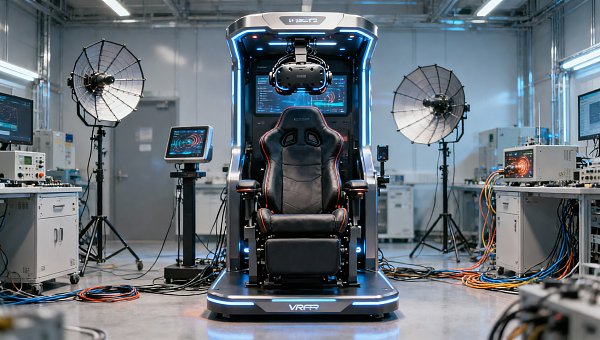
Racing Simulator Cockpits: Which Features Matter Most?
Choosing the right racing simulator cockpits is not just about comfort or aesthetics—it directly affects realism, durability, adjustability, and long-term integration with pedals, wheels, and display systems. For technical evaluators, the most important question is simple: which features materially improve performance, service life, and installation efficiency, and which are mainly marketing extras?
In most cases, the features that matter most are structural rigidity, adjustability, compatibility, ergonomics, cable and power integration, display mounting flexibility, and maintenance practicality. Premium finishes and visual styling may support brand presentation, but they should come after mechanical stability and system-level fit. This guide explains how to evaluate cockpit features in a way that supports measurable purchasing decisions for both enthusiast and commercial-use environments.
What Is the Core Buying Question Behind Racing Simulator Cockpits?
When technical buyers search for racing simulator cockpits, they are usually not looking for a generic product overview. Their intent is evaluative and comparative. They want to know which cockpit characteristics have the greatest impact on simulation quality, user satisfaction, equipment compatibility, and long-term ownership cost.
That means the real decision is not “Which cockpit looks best?” but “Which cockpit remains stable under load, adapts to different users, supports current and future hardware, and minimizes installation or maintenance problems?” For commercial venues, training centers, esports spaces, and premium leisure environments, these questions become even more important because downtime and user discomfort directly affect revenue and reputation.
Why Rigidity Is Usually the First Feature to Evaluate
The single most important performance feature in a cockpit is rigidity. If the frame flexes under braking, steering input, or seat movement, the entire simulation experience becomes less precise. High-torque direct drive wheelbases and load cell pedals can expose weaknesses in poorly engineered frames very quickly.
For technical evaluators, rigidity should be assessed in relation to expected force loads. A cockpit intended for entry-level belt-driven wheels does not need the same structural specification as one designed for a 15–25 Nm direct drive system. Likewise, heavy braking forces from professional-grade pedal sets require strong pedal deck support and minimal lateral movement.
Look closely at material thickness, joint design, bracket geometry, and the number of reinforcement points. Aluminum profile systems are popular because they offer strong modularity and very good stiffness when properly assembled. Tubular steel designs can also perform well, but quality varies significantly depending on weld consistency, mounting plate design, and how the force path is managed across the frame.
A useful evaluation method is to ask where deflection is most likely to occur: wheel deck, pedal plate, seat rails, or monitor stand interface. A cockpit may feel solid in static display conditions yet still show unwanted movement during aggressive use. Any meaningful assessment should consider dynamic force behavior, not just showroom appearance.
How Important Is Adjustability for Multi-User or Commercial Setups?
Adjustability is often underestimated until the cockpit is deployed in a real operating environment. For home users, minor inconvenience may be acceptable. For a commercial operator, experience center, or training facility, limited adjustability quickly becomes a bottleneck.
Technical evaluators should review adjustment ranges for seat position, steering column height and angle, pedal distance, pedal angle, and in some cases shifter or handbrake placement. If a cockpit must serve users of different heights, body types, or driving preferences, fast and repeatable adjustability is essential.
The key issue is not only whether a cockpit can be adjusted, but how easily and accurately adjustments can be made. Tool-free systems or indexed adjustment points may have major operational advantages in venues where multiple users rotate through the simulator. A design that requires lengthy manual reconfiguration may increase labor time and reduce utilization.
Another practical concern is whether adjustability compromises rigidity. Some highly adjustable systems introduce additional flex because of movable interfaces or thinner connection points. The best racing simulator cockpits balance these two requirements rather than maximizing one at the expense of the other.
Compatibility Determines Long-Term Value More Than Many Buyers Expect
Compatibility is where many cockpit purchases succeed or fail over time. A technically acceptable frame today may become limiting after one hardware upgrade. For this reason, compatibility should be reviewed as a long-term platform issue rather than a short-term fit check.
Wheelbase mounting support is one of the first areas to verify. Different brands use different bolt patterns, front-mount standards, and mounting clearances. The same applies to pedal sets, especially higher-end models with large footprints or specialized heel plate requirements. If the cockpit requires custom drilling or third-party adapters, installation risk and complexity increase.
Display integration matters as well. Some buyers need a cockpit-only frame because their display setup is separate. Others require an integrated monitor mount, triple-screen support, or a configuration that can accommodate ultrawide displays. In VR-focused applications, monitor requirements may be less critical, but cable routing and sensor placement become more relevant.
Accessory compatibility should also be part of the evaluation. Consider whether the platform supports shifters, handbrakes, bass shakers, motion add-ons, keyboard trays, button boxes, and future telemetry accessories. A cockpit that supports only the initial specification may appear cost-effective at purchase but become inefficient once the system evolves.
Why Ergonomics Is a Technical Issue, Not Just a Comfort Issue
Ergonomics is often treated as a user preference topic, but for technical evaluators it should be considered a performance and usability factor. Poor ergonomic geometry leads to fatigue, inconsistent control input, reduced immersion, and in commercial environments, lower session satisfaction.
Seat angle, lumbar support, pedal alignment, steering height, and reach all influence how naturally the user can maintain a driving posture. If the seat is too upright, the pedal deck too flat, or the wheel too high, the user may compensate with inefficient body positioning. That affects both realism and repeatable performance.
In endurance-style simulation, comfort directly relates to session duration. In public venues, ergonomics affects accessibility and user confidence, especially for first-time users. Evaluators should look for a cockpit geometry that supports realistic driving posture without creating unnecessary complexity during entry, exit, or adjustment.
Seat choice also deserves closer scrutiny. A visually impressive bucket seat may not be the best option for mixed-user environments if ingress and egress are difficult. In some commercial settings, a slightly less aggressive seat design with better access and broader body-type accommodation may deliver better overall results.
Integrated Display Mounting and Visual Alignment Can Change the Experience
The relationship between the cockpit and the visual system has a major impact on immersion. Even a mechanically excellent cockpit can underperform if the screen position is poorly aligned. For technical evaluators, monitor placement should be assessed as part of the cockpit ecosystem rather than as a separate decision.
Important factors include screen distance, height adjustment range, lateral stability, VESA compatibility, and whether the monitor mount is attached to the cockpit or independent. Integrated mounts can save space and simplify alignment, but they may also transmit vibration if not properly isolated.
Triple-screen configurations require especially careful review. The stand must allow precise angle setting and maintain alignment over time. Small shifts in geometry can affect field of view consistency and visual realism. For high-end installations, the ability to fine-tune monitor position may be more valuable than simply supporting a larger display size.
In VR-based applications, display mount priority may decrease, but headset cable management, base station mounting, and clean movement zones become more important. Technical buyers should evaluate the cockpit according to the visual architecture actually planned, not according to a generic checklist.
What Maintenance, Assembly, and Serviceability Reveal About Product Quality
Installation efficiency and serviceability are major decision factors, especially in B2B environments. A cockpit can have excellent specifications on paper and still create ongoing operational friction if assembly is overly complex or maintenance access is poor.
Start by reviewing the assembly process. Are instructions detailed and clear? Are the fasteners standardized? Can the unit be built consistently across multiple installations? In larger deployments, even small assembly inefficiencies can translate into substantial labor cost.
Serviceability should include access to mounting points, ease of component replacement, and the ability to retighten or realign high-stress areas after repeated use. In public or shared-use environments, maintenance intervals should be expected rather than treated as unusual events.
Cable management is another overlooked indicator of design maturity. A cockpit that allows clean routing for power, USB, display, and peripheral cables will be easier to maintain and safer to operate. Poor cable routing can lead to visual clutter, accidental disconnection, and unnecessary wear on connectors.
Commercial-Grade Evaluation: Stability Alone Is Not Enough
For technical evaluators working in commercial procurement, the right choice goes beyond user feel. The cockpit must fit operational realities such as throughput, maintenance burden, branding, floor planning, and lifecycle cost.
In a hospitality lounge, amusement venue, or branded experiential space, racing simulator cockpits may need to perform for many hours per day with users of widely varying skill levels. That changes the priority order. Fast reset, durable finishes, resistance to misuse, and simple part replacement become more important than enthusiast-only customization features.
Footprint efficiency also matters. Some cockpits offer excellent rigidity but require significant space once triple monitors, access clearance, and seating adjustment ranges are considered. A compact but well-designed cockpit may deliver better commercial value if it allows a cleaner venue layout.
Noise and vibration control may also matter in premium environments. Rigid construction is beneficial, but if the platform transfers excessive vibration into the floor or adjoining structures, it may create unwanted operational issues. In mixed-use spaces such as hotels, showrooms, or executive lounges, integration with the surrounding environment should be considered early in the evaluation process.
How to Compare Racing Simulator Cockpits More Objectively
To avoid subjective buying decisions, technical evaluators should use a structured comparison framework. Start with the intended use case: enthusiast premium home use, esports venue deployment, driver training, event activation, or luxury entertainment installation. The right cockpit depends heavily on this context.
Then score each option across a practical set of categories: frame rigidity, hardware compatibility, user adjustability, ergonomic range, display integration, assembly complexity, serviceability, accessory expansion, and total installed cost. Weight each category according to real operational priorities.
It is also helpful to separate must-have features from preference features. For example, direct drive compatibility, load cell pedal support, and repeatable adjustment may be mandatory. Powder-coat color options or cosmetic trim may be desirable but not decision-critical.
If possible, request proof of real-world deployment or hardware pairing examples. A supplier that can show successful installation with known wheelbases, pedals, seating systems, and display layouts offers stronger confidence than one that only provides generic compatibility claims.
Which Features Matter Less Than Buyers Often Assume?
Some features receive a lot of marketing attention but have limited practical value unless tied to a specific use case. Decorative panels, aggressive styling, and racing-inspired aesthetics can support visual impact, but they do not compensate for poor structural engineering.
Likewise, an oversized list of optional accessories is not automatically a sign of better platform design. What matters is whether the core cockpit performs well and whether accessories integrate cleanly without introducing instability or setup complexity.
Buyers should also be careful with vague terms such as “professional-grade” or “premium.” These labels mean little unless supported by measurable factors such as load tolerance, material specifications, precise adjustability, and proven hardware compatibility.
Final Verdict: What Matters Most in Racing Simulator Cockpits?
For most technical evaluations, the most important features in racing simulator cockpits are rigidity, compatibility, ergonomic correctness, adjustability, and service-friendly integration. These factors directly affect driving realism, user comfort, upgrade flexibility, and total operating efficiency.
If the cockpit is intended for commercial or high-traffic environments, add maintenance practicality, user turnover efficiency, finish durability, and footprint planning to the priority list. In those contexts, the best cockpit is not necessarily the most visually dramatic one. It is the one that performs consistently, installs cleanly, adapts to real users, and supports the broader simulator system without creating recurring operational problems.
In short, technical buyers should evaluate racing simulator cockpits as platform infrastructure, not as standalone furniture. When the frame, seating geometry, control mounting, and display integration work together properly, the result is a simulator that delivers higher realism, easier management, and stronger long-term value.
Search News
Hot Articles
- Stationery & UniformsHow Schools Can Cut Printing Costs When Buying Ink Cartridges in BulkSep 21, 2026
- Jewelry Packaging & DisplayHow to Evaluate a Luxury Retail Packaging Supplier for Premium Brand ConsistencySep 20, 2026
- Commercial KitchenHow to Select a Spiral Dough Mixer for Bakery Batch Size and Dough HydrationSep 19, 2026
Popular Tags
Need ExpertConsultation?
Connect with our specialized leisureengineering team for procurementstrategies.
Recommended News
 Sep 15, 2026How to Choose Coin-Operated Pool Tables for Bars, Hotels, and Arcade VenuesCoin operated pool tables for bars, hotels, and arcades: compare sizes, payment systems, durability, service access, and revenue potential.● Theme Park Strategist
 Sep 08, 2026What to Look for in a Flight Simulator Chair Manufacturer for Commercial VR CentersChoose a flight simulator chair manufacturer that delivers durable, safe, customizable seating for commercial VR centers. Explore key sourcing criteria now.● Theme Park Strategist
 Aug 25, 2026What to Evaluate Before Buying Commercial Self Service Photo Booths for VenuesCommercial self service photo booths for venues: learn how to evaluate durability, software stability, branding flexibility, support, and total ROI before you buy.● Theme Park Strategist
 Aug 23, 2026How to Evaluate Wholesale Vending Machines for Multi-Location Business DeploymentWholesale vending machines for multi-location deployment require more than low unit cost. Learn how to compare reliability, payments, telemetry, and supplier support to scale smarter.● Theme Park Strategist
 Aug 17, 2026U.S. CPSC Urges Bilingual Warnings for Arcade and VR MachinesU.S. CPSC urges bilingual safety warnings for Arcade & VR Machines—learn what exporters, importers, and distributors must do now to avoid delays and returns.● Theme Park Strategist
 Aug 16, 2026EU Enforces EN IEC 62368-1:2026 Certification for Arcade and VR MachinesEU Enforces EN IEC 62368-1:2026 certification for arcade and VR machines, reshaping EU market access, customs clearance, and compliance planning for exporters and distributors.● Theme Park Strategist
 Aug 13, 2026UFLPA’s new guidelines take effect: Exports of Arcade and VR equipment face full-link labor compliance requirementsUFLPA’s new guide takes effect: Arcade and VR machine exports to the U.S. now face full-chain labor compliance checks. Discover key risks and action steps.● Theme Park Strategist
 Aug 12, 2026EU PPWR takes effect, Arcade and VR packaging incorporate heavy metal and PFAS restrictionsEU PPWR now applies to Arcade and VR packaging, tightening heavy metal and PFAS compliance. Learn how exporters can avoid delays, fines, and customs risks.● Theme Park Strategist
 Aug 11, 2026CPSC Sets Bilingual Labels for Arcade and VR ImportsCPSC bilingual labels for arcade and VR imports become mandatory on October 1, 2026. Learn the new English-Spanish warning rules, customs risks, and key compliance steps now.● Theme Park Strategist
 Aug 10, 2026EU Rule Takes Effect for Arcade & VR Machine ClearanceArcade & VR Machine clearance in the EU now depends on EN IEC 62368-1:2026+A11:2026 compliance. Learn what changed, who is affected, and how to avoid customs delays.● Theme Park Strategist
 Aug 09, 2026CPSC Requires New Labels for Arcade and VR ImportsCPSC requires new labels for Arcade and VR imports starting Oct 1, 2026. Learn the multilingual warning rules, compliance risks, and key steps exporters and buyers must take now.● Theme Park Strategist
 Aug 08, 2026EU Entry Rule Tightens for Arcade & VR MachinesArcade & VR Machines entering the EU now face stricter CE compliance under EN IEC 62368-1:2026+A11:2026. Learn the new rule, risks, and what exporters must do now.● Theme Park Strategist
 Aug 07, 2026CPSC Notice Tightens U.S. Entry Rules for Arcade and VR MachinesCPSC Notice Tightens U.S. Entry Rules for Arcade and VR Machines: learn the new labeling, FCC, UN38.3, and compliance document requirements before October 1, 2026.● Theme Park Strategist
 Aug 06, 2026EU Rule Takes Effect for CE-UKCA Labels on Arcade & VR MachinesArcade & VR Machines face new CE-UKCA label and ECPD filing rules in the EU and UK. Learn what manufacturers, importers, and distributors must do now to avoid delays.● Theme Park Strategist
 Aug 05, 2026CPSC Recalls Arcade and VR Machines Over UL 62368-1CPSC recalls arcade and VR machines over UL 62368-1 non-compliance. Learn how this 2026 safety action may affect imports, distribution, customs clearance, and market access.● Theme Park Strategist
 Aug 02, 2026EU Sets New Certification Rule for Arcade and VR MachinesArcade and VR Machines face a new EU certification rule from Oct 1, 2026. Learn how EN IEC 62368-1:2026+A11:2026 affects CE marking, customs clearance, and market access.● Theme Park Strategist
 Aug 01, 2026CPSC Moves to Require Bilingual Warnings on Arcade and VR MachinesCPSC bilingual warnings for Arcade and VR Machines may reshape U.S. import compliance. Learn how English-Spanish labels affect packaging, customs risk, and shipment readiness.● Theme Park Strategist
 Jul 31, 2026EU Sets EN IEC 62368-1:2025 Rule for Arcade and VR MachinesEU Sets EN IEC 62368-1:2025 Rule for Arcade and VR Machines. Learn the new EU compliance deadlines, safety updates, and key actions for manufacturers, OEMs, and distributors.● Theme Park Strategist
 Jul 30, 2026CPSC Sets New Warning Label Rule for Arcade & VR MachinesCPSC sets a new warning label rule for Arcade & VR Machines effective August 15, 2026. Learn key compliance risks, multilingual label requirements, and shipment actions now.● Theme Park Strategist
 Jul 29, 2026EU Enforces New Safety Standard for Arcade and VR MachinesEU Enforces New Safety Standard for Arcade and VR Machines: learn how EN IEC 62368-1 affects CE compliance, customs clearance, and EU market access for exporters and buyers.● Theme Park Strategist
 Jul 28, 2026CPSC Sets ASTM F3472-26 Rule for Arcade & VR ImportsCPSC ASTM F3472-26 rule reshapes Arcade & VR imports to the U.S. Learn key compliance deadlines, certification risks, and what exporters, OEM/ODM suppliers, and buyers should do now.● Theme Park Strategist
 Jul 27, 2026EU Rule Takes Effect for Arcade & VR Machine CybersecurityEU Rule Takes Effect for Arcade & VR Machine Cybersecurity: learn how EN IEC 62443-3-3:2025 affects compliance, customs clearance, sales continuity, and supplier planning in the EU market.● Theme Park Strategist
 Jul 25, 2026CPSC Sets Bilingual Warning Rule for Arcade and VR ImportsCPSC bilingual warning rule for arcade and VR imports takes effect August 1, 2026. Learn how OEM/ODM exporters can avoid CBP delays, relabel shipments, and protect U.S. delivery timelines.● Theme Park Strategist
 Jul 24, 2026EU Enforces New Safety Standard for Arcade and VR MachinesEU Enforces New Safety Standard for Arcade and VR Machines: learn how EN IEC 62368-1:2026+A11:2026 reshapes EU compliance, CE documentation, testing timelines, and export readiness.● Theme Park Strategist