What Event Technology Stack Suits a 500-Person Corporate Event?
What Event Technology Stack Suits a 500-Person Corporate Event?
Choosing what event technology stack fits a 500-person corporate event starts with the attendee journey—not a shopping list of platforms. For corporate planners and procurement teams, the right combination of registration, check-in, audience engagement, audiovisual systems, and reliable connectivity can reduce queues, support presentations, and deliver useful post-event insights. Yet overlapping tools, weak integrations, and unclear vendor responsibilities can quickly inflate costs.
For an in-person corporate event of this size, a sensible starting point is one registration and attendee-data platform, QR-based check-in with an offline fallback, a mobile-friendly agenda, a moderated polling and Q&A tool, professionally operated audiovisual systems, and venue connectivity verified against the actual workload. Add streaming, networking, or session tracking only when the event format justifies them.
The difficult part is not finding software that advertises these capabilities. It is making the whole setup work when attendees arrive together, executives change slides, and several breakout rooms need support simultaneously.
Design Around the Busiest Moments, Not the Attendance Total
Five hundred registrations do not describe the operational load. A single-room leadership meeting with staggered arrivals is a different project from a customer conference with parallel sessions, exhibitors, and remote viewers.
Before requesting proposals, map the moments when technology has to perform: the arrival window, the opening presentation, breakout transitions, live questions, and the final feedback request. Record who uses each system, what information they need, and what happens if it becomes unavailable.
- Arrival: Can attendees retrieve their confirmation without searching through several emails?
- Session changes: Can organizers update the agenda once and have the change appear everywhere?
- Presentations: Can speakers advance slides, hear questions, and switch to backup content without disruption?
- Follow-up: Can the team distinguish registration, attendance, session participation, and survey completion?
This exercise exposes unnecessary purchases. A downloadable app may add little to a straightforward internal meeting, while a responsive agenda page provides the information attendees need without an installation step.
Keep Registration and Check-In on the Same Data Foundation
Registration should hold the authoritative attendee record. Names, company details, attendance status, access permissions, and communication preferences should not be independently maintained across multiple spreadsheets. Collect dietary or accessibility information only where necessary, and restrict access to the people responsible for acting on it.
For many 500-person events, registration and check-in from the same provider reduce integration work. Confirm how edits, cancellations, substitutions, and duplicate records behave. A platform that handles an advance registration cleanly may still struggle with a last-minute name change at the desk.
Size the desk for the arrival window
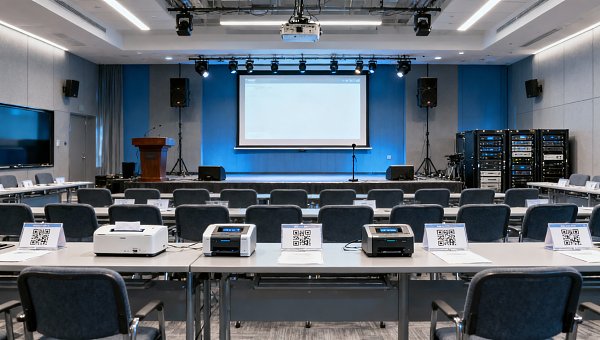
Check-in capacity depends on arrival concentration and handling time. As an illustrative calculation, if all 500 attendees arrive within 30 minutes, the desk must process roughly 17 people per minute. At an assumed 20 seconds per straightforward check-in, six stations would provide a theoretical capacity of 18 per minute—but little headroom for delays. These are planning assumptions, not a staffing benchmark.
Test the actual process, including badge printing if required. Use those results to determine station count, then separate routine scans from exceptions such as missing confirmations and walk-in approvals. Otherwise, one difficult record can hold up an entire queue.
Offline capability deserves a demonstration, not a checkbox. Ask which records remain available without internet, whether scanners detect duplicates locally, and how attendance synchronizes afterward. Keep a protected fallback roster, spare power supplies, and a clear procedure for admitting someone when scanning fails.
Use a Lightweight Attendee Interface Unless the Program Needs More
The attendee-facing layer should make the next action obvious: find a room, read a session description, submit a question, or complete feedback. A mobile-friendly web page often covers these tasks. A dedicated event app becomes more compelling when there are complex personal schedules, appointment booking, networking, or frequent targeted notifications.
The trade-off is adoption. Download requirements, account creation, and corporate device restrictions can introduce friction. Test access on managed devices and provide a browser alternative wherever practical.
For audience engagement, one moderated Q&A and polling tool is usually a better starting point than several overlapping tools. Establish who screens questions, how presenters receive them, and whether submissions are anonymous. Explain whether organizers can still identify participants; anonymity on a projected screen does not necessarily mean anonymity in the database.
The architecture should remain easy to explain: registration supplies attendee records to check-in; approved agenda changes feed the attendee interface; engagement results return to reporting. Any extra connection should have a specific purpose and an owner.
Treat Audiovisual Systems and Connectivity as Production Infrastructure
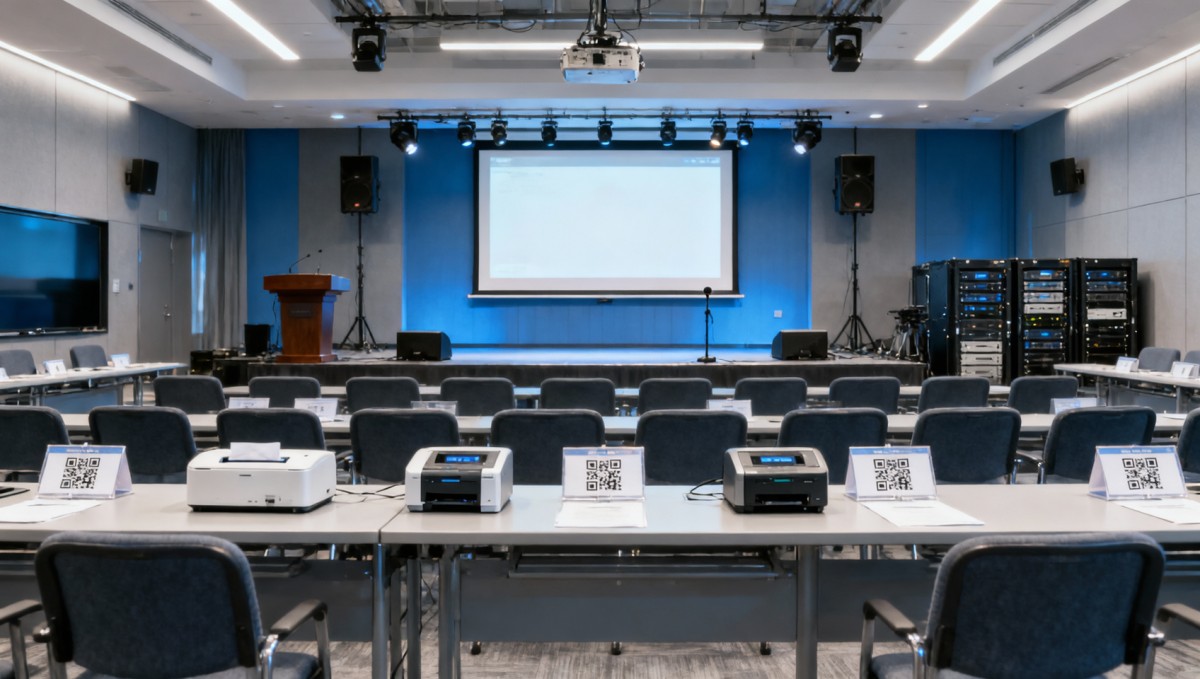
Software cannot compensate for speech that is difficult to hear or slides that are unreadable from the back of the room. Specify AV against the room layout, audience sightlines, program, and presenter movement—not attendance alone.
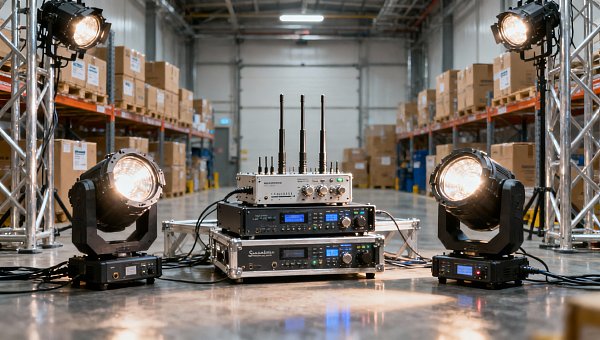
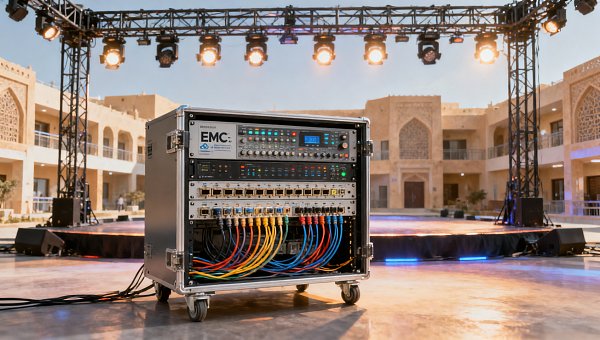
The proposal should identify microphones, sound coverage, displays or projection, presentation playback, confidence monitors where needed, and operator responsibilities. Request an appropriate process for wireless microphone frequency coordination and confirm local operating requirements. Electrical distribution, rigging, and temporary installations also need review against venue rules and applicable local requirements.
Breakout rooms are easy to under-resource. If sessions run simultaneously, equipment and technicians cannot simply be shared as though those rooms were used one after another. Ask how support is dispatched and what presenters should do while waiting.
“Wi-Fi included” is not a network specification
Discuss concurrent devices, application traffic, coverage, and support with the venue. Five hundred people may bring more than 500 connected devices, but usable capacity depends on radio conditions, access-point placement, channel planning, and internet service—not just a headline bandwidth figure.
- Can operational devices use a separate network from attendee traffic?
- Are wired connections available for production systems and streaming encoders?
- Will captive portals or firewall settings interfere with required applications?
- Who monitors connectivity during the event and responds to faults?
- Is backup connectivity genuinely independent of the primary connection?
Avoid setting a universal bandwidth target without knowing the workload. Registration scans, live polling, video uploads, and livestreaming have different requirements. Ask application and production vendors for their needs, then have the venue explain how it will support them.
If remote attendance is required, treat it as a separate production workflow. Camera framing, clean audio, remote moderation, captions where needed, and stream monitoring all require attention. Sending the room presentation feed online does not automatically create a usable remote experience.
Choose Integration Depth According to the Event’s Purpose
An internal meeting may need attendance confirmation and aggregated feedback. A customer event may need approved CRM updates and follow-up routing. A training program may require session-level records. These objectives call for different integration depths.
For a one-off event, a controlled export may be sufficient. For a recurring program, a tested connector or API integration may reduce repeated manual work. Neither is automatically superior: exported files need ownership and validation, while automated connections need field mapping, error handling, and monitoring.
Define the measurement before selecting the feature. An entrance scan confirms check-in, not attendance at every session. A poll response shows interaction, not necessarily learning or purchase intent. Reports should preserve these distinctions rather than combine them into an unexplained engagement score.
Review administrator permissions, authentication options, retention settings, subprocessors, data locations, and deletion procedures with the relevant internal teams. Corporate events can contain sensitive employee or customer information. Applicable privacy obligations depend on jurisdiction and processing arrangements, so contractual claims require review rather than assumptions.
Buy a Deliverable Setup, Not a Collection of Licenses
Compare total delivery scope. A lower software price can be offset by configuration charges, badge consumables, equipment rental, integration work, rehearsal time, travel, overtime, or on-site support. Ask vendors to separate mandatory costs from optional features and identify limits that trigger additional fees.
Global Commercial Trade (GCT), with its focus on commercial sourcing intelligence across hospitality, professional audio, and other experience-driven sectors, offers a useful procurement perspective here: evaluate the solution as something that must operate in a real commercial space. Room suitability, technical documentation, service availability, and delivery responsibilities matter alongside feature lists.
A single platform can simplify data administration, but it does not remove the need for venue IT and production expertise. A best-of-breed setup can provide stronger specialist functions, but only when someone owns the interfaces. Name one event technology lead and document the boundary between platform support, venue connectivity, and AV production.
Before accepting the setup, rehearse the complete workflow: register a test attendee, amend the record, scan the badge, interrupt connectivity, restore synchronization, submit a moderated question, change a presentation, and export the results. Test failure recovery as well as the normal path.
For a 500-person corporate event, the right stack is the smallest coordinated setup that supports the program and remains usable when something fails. Before signing, confirm the arrival profile, room plan, remote audience requirements, data handoffs, and named support contacts. Those details will reveal more about readiness than another page of platform features.
Search News
Hot Articles
- Stationery & UniformsChoosing a Wholesale Chef Coat Supplier: MOQs, Samples, and Lead TimesOct 19, 2026
- Indoor PlaygroundTurnkey Playground Installation: What's Included and What Costs Extra?Oct 18, 2026
- Musical InstrumentsProfessional String Instruments: How to Evaluate Tone, Response, and ProjectionOct 17, 2026
Popular Tags
Need ExpertConsultation?
Connect with our specialized leisureengineering team for procurementstrategies.
Recommended News
 Oct 19, 2026What Event Technology Stack Suits a 500-Person Corporate Event?Discover what event technology stack fits a 500-person corporate event. Compare registration, check-in, AV, and connectivity to reduce queues, control costs, and engage attendees.● Pro Audio Engineer
 Jul 13, 2026Stage Riser Platforms Explained: Types, Load Ratings, and Best-Fit Event UsesStage riser platforms explained clearly: compare types, load ratings, safety factors, and best-fit event uses to choose smarter, safer solutions for conferences, schools, hotels, and live shows.● Pro Audio Engineer
 Jul 09, 2026SASO Fast Track Cuts Stage Lighting Export Lead TimeSASO Fast Track cuts stage lighting export lead time from 45 days to 12 working days. Learn how Saudi certification changes affect truss suppliers, OEMs, buyers, and shipment planning.● Pro Audio Engineer
 Jul 08, 2026SASO Updates Stage Lighting Label Rules for LED Moving HeadsSASO updates stage lighting label rules for LED moving heads, requiring three-level energy efficiency values and bilingual labels. See what exporters and buyers must do before October 2026.● Pro Audio Engineer
 Jul 07, 2026SASO Adds Energy Label Rules for Stage Lighting ImportsSASO Adds Energy Label Rules for Stage Lighting Imports: learn which stage lighting products now need Arabic energy labels and SASO-recognized test reports before Sept. 1, 2026.● Pro Audio Engineer
 Jul 06, 2026Saudi SASO Sets A+ Rule for Stage LED LightingSaudi SASO sets A+ rule for stage LED lighting from Oct 1, 2026. Learn how the new SASO label and IEC 62722-2-1:2026 standard impact compliance, shipping, and market access.● Pro Audio Engineer
 Jul 04, 2026SASO Tightens RF Test Rules for Wireless Stage ControlsSASO tightens RF test rules for wireless stage controls in Saudi Arabia. Learn how the new IEC 62368-3 requirement impacts stage lighting exports, compliance, and delivery.● Pro Audio Engineer
 Jul 03, 2026Saudi SASO Adds RF Approval Rule for Stage LightingSaudi SASO adds RF approval rule for stage lighting. Learn how the new SASO RoHS+RF certification affects wireless lighting, truss control exports, retail access, and project delivery in Saudi Arabia.● Pro Audio Engineer
 Jul 02, 2026SASO Starts EMC Pilot for Smart Stage Lighting in SaudiSASO starts an EMC pilot for smart stage lighting in Saudi Arabia, impacting dimming controllers, cloud access, and project compliance. See what suppliers and integrators must do now.● Pro Audio Engineer
 Jul 01, 2026Saudi SASO Tightens UV-C Limits for Stage LightingSaudi SASO tightens UV-C limits for stage lighting and truss products. Learn the 2026 SASO IEC 62471 update, retesting deadline, customs risks, and how to protect Saudi shipments.● Pro Audio Engineer
 Jun 30, 2026EN 62471:2026 Adds UV-C Limit for Stage LightingEN 62471:2026 adds a UV-C limit for stage lighting, impacting LED moving heads, laser fixtures, and truss lighting. Learn what changes before Dec 1, 2026.● Pro Audio Engineer
 Jun 29, 2026TUV Adds Wi-Fi 7 EMC Test for Stage LightingTUV Adds Wi-Fi 7 EMC Test for Stage Lighting sold into the EU. Learn the Oct 1, 2026 deadline, retesting rules, and how EN 55032:2024 impacts certificates, shipments, and compliance planning.● Pro Audio Engineer
 Jun 25, 2026LED PAR Cans Wholesale: What to Compare in Wattage, Beam Angle, and DMX ControlLED par cans wholesale buyers should compare wattage, beam angle, and DMX control before requesting quotes. Learn how to avoid costly mismatches and choose fixtures that fit each venue.● Pro Audio Engineer
 Jun 16, 2026Stage Lighting Equipment List for Small Venues: What You Need and How to Plan ItStage lighting equipment for small venues: discover a practical equipment list, planning tips, and smart setup ideas to improve performance, flexibility, and long-term value.● Pro Audio Engineer
 Jun 12, 2026Vietnam Tightens EMC Rules for Stage Lighting LEDsVietnam Tightens EMC Rules for Stage Lighting LEDs: learn how QCVN 139:2026 impacts imports, testing, sourcing, and delivery planning for stage lighting businesses.● Pro Audio Engineer
 Jun 11, 2026LPGA Shanghai Debut Lifts Stage Lighting OrdersStage lighting and truss demand is rising as LPGA Shanghai debuts in 2026. Learn how tighter delivery windows, compliance, and project execution are reshaping global orders.● Pro Audio Engineer
 Jun 04, 2026UK EPR Rules Expand to Stage Lighting and TrussUK EPR rules for stage lighting and truss expand in Q3 2026. Learn how UKCA-linked registration, reporting, recycling fees, and material documentation will affect compliance and market access.● Pro Audio Engineer
 Jun 03, 2026UK EPR Fee Hits Stage Truss Textiles in Q3 2026UK EPR Fee for stage truss textiles starts in Q3 2026. Learn what new recycling charges and UKCA-Flame rules mean for lighting and truss suppliers.● Pro Audio Engineer
 Jun 02, 2026UK EPR Fee Hits Stage Lighting & TrussUK EPR Fee Hits Stage Lighting & Truss products with textile components in 2026. Learn compliance risks, BOM updates, and cost impacts for UK exporters.● Pro Audio Engineer
 May 25, 2026China's Carbon Fiber Truss Strength Up 32% at 2026 Sports ExpoCarbon fiber truss strength up 32% at 2026 Sports Expo—UL 1598 certified, CE+UL ready. Discover how China’s stage infrastructure is winning European music festivals & global tenders.● Pro Audio Engineer
 May 23, 2026Vietnam Mandates Bilingual MSDS for Stage Lighting & Truss ImportsVietnam mandates bilingual MSDS (Vietnamese & Chinese) for stage lighting and truss imports — ensure compliance by July 1, 2026 to avoid shipment rejection.● Pro Audio Engineer
 May 20, 20263 Chinese Stage Lighting Firms Join LA28 Olympic Supplier List3 Chinese stage lighting firms join LA28 Olympic supplier list — showcasing ISO 20121 & UL 1574 compliance, sustainability leadership, and global credibility in live-event infrastructure.● Pro Audio Engineer
 May 20, 2026What matters most when choosing lighting stands crank up?Lighting stands crank up: learn what really matters beyond height—load capacity, crank safety, stability, compatibility, and serviceability—to choose the right stand with confidence.● Pro Audio Engineer
 May 19, 20263 Chinese Stage Lighting Firms Join IOC’s 2028 LA Olympics Supplier ListChinese stage lighting firms join IOC's 2028 LA Olympics supplier list — a major validation for OEM/ODM exporters and tech integrators in global sports & entertainment lighting.● Pro Audio Engineer